Case study
Building a TMS inside a working freight brokerage
FreightVero’s broker TMS was built with Bronco Logistics while Bronco kept moving freight. This is what the documents looked like, what we built, and what their feedback changed.
- 4
checkpoints enforced in the database
- 10
load statuses, from New Shipment to Billed
- 7
equipment types supported, cargo van to flatbed
The brokerage
Bronco Logistics is a freight brokerage. It is FreightVero’s design partner and the first tenant on the platform, and the product was built inside it.
Bronco’s freight doesn’t fit one trailer type. Loads move on cargo vans, sprinter vans, small trucks, large straight trucks, 53-foot trailers, reefers and flatbeds. A TMS for Bronco had to handle a few pieces in a van as carefully as a full trailer.
The brief was easy to say and hard to build. A load shouldn’t move forward until the proof is attached to the load itself. A promise on a phone call or a PDF in someone’s inbox doesn’t count.
Bronco is also the shortest feedback loop we have. Their owner reports something on a Tuesday and it ships that week, because the people using the software and the people writing it are on the same thread.
The documents problem
Before writing screens, we looked at the paperwork Bronco actually receives. Bronco’s documents arrived in three unrelated formats, and a third of them carried no price.
The three families were rate confirmations, air-freight delivery orders, and supporting documents like BOLs, packing lists and invoices. A delivery order releases freight for pickup, but it typically carries no rate, no appointment and no equipment type.
That changed how Lena, the load entry agent, reads a document. She classifies it first. Supporting paperwork attaches to an existing load and never creates one. When a field isn’t on the document, the draft marks it absent instead of guessing, and every value comes with the source text it was read from.
The same load, two rates, 33 minutes apart
One case from the sample set shaped the duplicate logic. The same load arrived twice, 33 minutes apart, at two different rates. A system that treats every inbound document as new would have booked it twice.
Lena compares the rate, stop count and delivery city against loads already in the system, and flags a revision instead of creating a second load. Exact re-sends of the same file are caught separately. A person at Bronco confirms the draft before a load is created. More on how she works at AI load entry.
Paperwork going the other way carries Bronco’s own letterhead and Bronco’s own terms. Rate confirmation letterhead and terms are held per brokerage, so nobody sends a carrier something that looks like it came from a different company.
Rules in the database, from the first migration
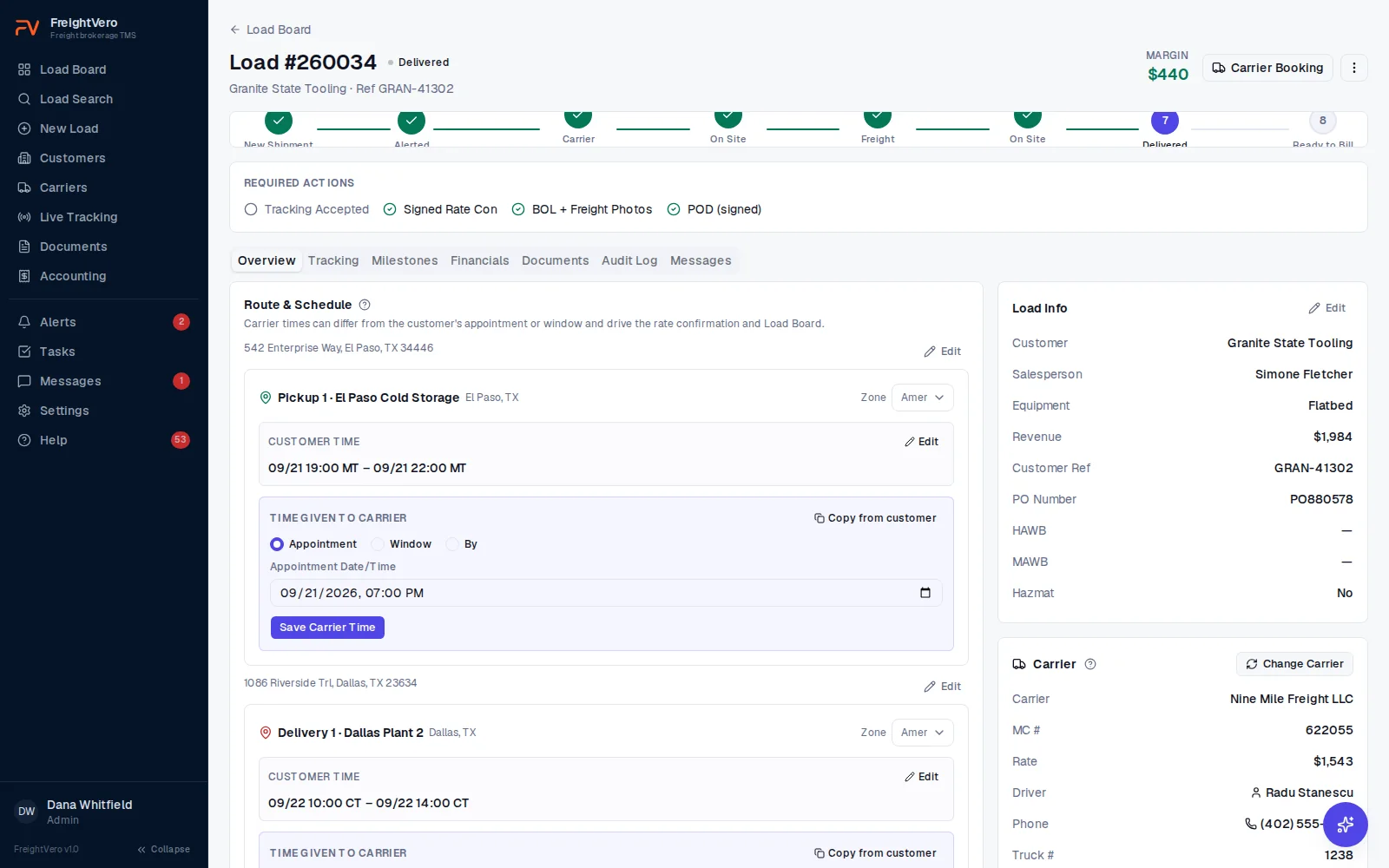
The first thing built was the load’s state machine, inside the database. Every status change goes through one database function, and the status column is protected. The app, an integration and someone typing SQL all hit the same rule.
When a checkpoint refuses a move, the reason comes back and the screen shows it word for word. The full detail is on the workflow enforcement page.
- Alerted: active carrier with an approved compliance status, plus driver and truck details
- Carrier Dispatched: the latest rate con version signed
- Freight On Board: BOL and freight photos
- Delivered: POD and the signer’s first and last name
Checkpoint 1
Alerted
Carrier locked in
- Active carrier assignment
- Approved compliance status on the carrier
- Driver and truck recorded
- Tracking accepted
Checkpoint 2
Dispatched
Paper matches the deal
- Latest rate confirmation version signed
- A rate change after signature needs a new signature
Checkpoint 3
Freight on board
Proof it left
- BOL uploaded
- Freight photos uploaded
Checkpoint 4
Delivered
Proof it arrived
- POD uploaded
- Signer's first and last name
Timeline
Aug 28, 2026: rules first
Version 0.1.0. The database gets load statuses, checkpoints, an append-only audit log, rate con versioning, row-level security and the ETA risk engine.
By Sept 2, 2026: screens deployed
Load board, load entry, load detail, carriers, customers, rate con PDFs, billing queue and reports go into production.
Sept 3, 2026: live tracking
Load Market live tracking is released, along with alerts, tasks, messages and user roles. Bronco has tracked freight through it every week since.
Sept 7, 2026: multi-tenant
Company ownership is written into the data model, automated cross-tenant isolation tests are added, and daily backups start.
Sept 9, 2026: the agents start reading
Lena is deployed and starts reading Bronco’s real rate confirmations and delivery orders, with a person confirming every draft before a load is created.
Sept 14, 2026: status emails
Five events notify the salesperson on the load: dispatched, arrived at pickup, delivered, cancelled and carrier fall-off. Photos and the POD ride along on the message, and every time carries the stop’s own zone.
This week: their feedback, shipped
The load board now reads as stacked facility, city and time with the customer’s commitment over the carrier’s, and a stop time is stored in the stop’s own zone rather than the browser’s. Both came from Bronco telling us what was wrong.
Fixes that came from daily use
Their owner reports something on a Tuesday and it ships that week. Every one of these started as someone at Bronco running the software on a real load.
A driver pause no longer ends tracking Live
A driver pausing tracking used to end it permanently. Now it reconnects when the driver starts again, and the load flags while tracking is quiet.
Driver changes keep the position history Live
Changing the driver mid-load reassigns tracking and keeps the position history, instead of burning a second tracking credit.
iPhone PODs upload Live
PODs photographed on an iPhone arrive as HEIC files. They now upload as proof of delivery without anyone converting them first.
A tracking you can find in the list Live
At the owner’s request, the Load Market reference reads the carrier name plus the load number, so a tracking is recognisable in the provider’s own list.
A revised rate con is caught, not booked twice Live
The same load can arrive twice at two different rates. It is flagged as a revision of the load already in the system rather than booked a second time.
Carrier swaps keep the history Live
A fall-off asks for a reason. The old assignment stays on record, the old rate con is voided, and the load steps back.
Tracking that tells you when it's gone quiet
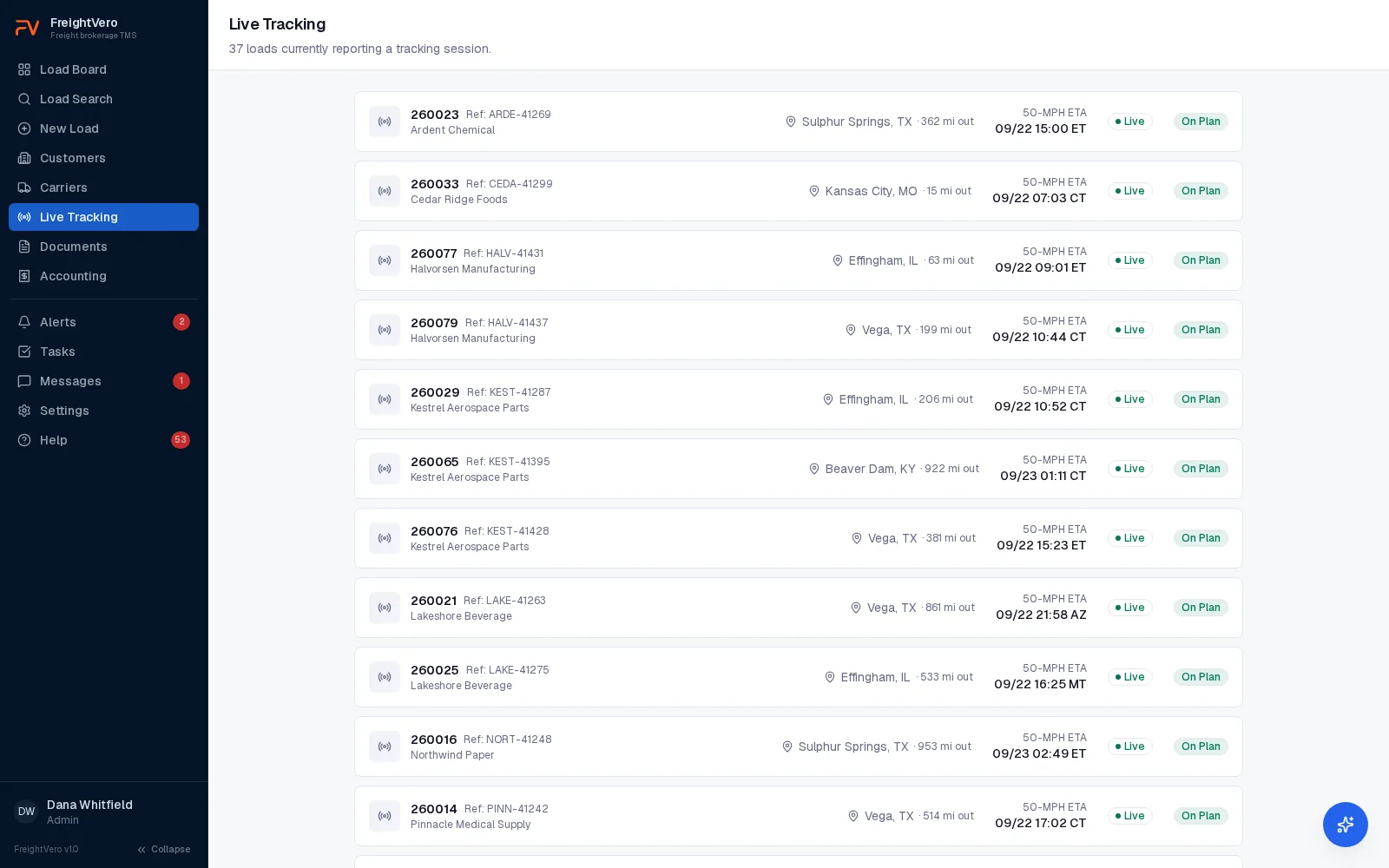
Tracking requests go to the driver’s phone from the load through the Load Market integration. ETA from the truck’s last position, checked against the carrier’s appointment. Green, yellow, red.
The map on the load draws the truck’s real driving route along the roads, with pickup, delivery and the current position. Tracking that goes quiet for 45 minutes gets flagged. See live tracking for how it works.
- Start, stop, refresh and change driver from the load
- Disconnects raise an alert on the load
- Live at Bronco since Sept 3, 2026
Where things stand
The broker TMS core is live at Bronco. Live tracking through Load Market since Sept 3, status emails to the sales desk since Sept 14, and the seven agents running on Bronco’s freight with a person approving what they draft.
Some pieces are still being built. QuickBooks Online is finished and waiting on Intuit’s approval. Company-branded BOL generation, invoice PDFs and carrier invoice approval are not shipped yet. Each one is labeled honestly across this site until it is.
Related pages
Want software built around how your brokerage runs
Book a demo of the broker TMS, or tell us about the workflow you’d want built.
Frequently asked questions
Does Bronco Logistics use FreightVero's AI agents today?
Yes. The agents run on Bronco's freight. Lena reads the rate confirmations and delivery orders that come in and drafts the load, and a person at Bronco confirms it before the load is created. Nothing an agent writes goes out without someone approving it.
How long did the first version take?
From the first database migration on Aug 28, 2026 to live Load Market tracking on Sept 3, 2026. Operational screens were in production by Sept 2. Multi-tenant support followed on Sept 7, the agents started reading real documents on Sept 9, and status emails to the sales desk went live on Sept 14.
Can FreightVero build something similar for our brokerage?
Yes. Custom TMS development is a service FreightVero offers today, quoted after a scoping call. Many brokerages will fit the packaged broker TMS instead. A demo is the fastest way to tell which one fits.