Load board Live
Load management software built around the loads that need you
FreightVero’s operations board shows every active load, its carrier and tracking state, and what has to happen next. Load entry checks every stop before the load is saved.
One board for every active load
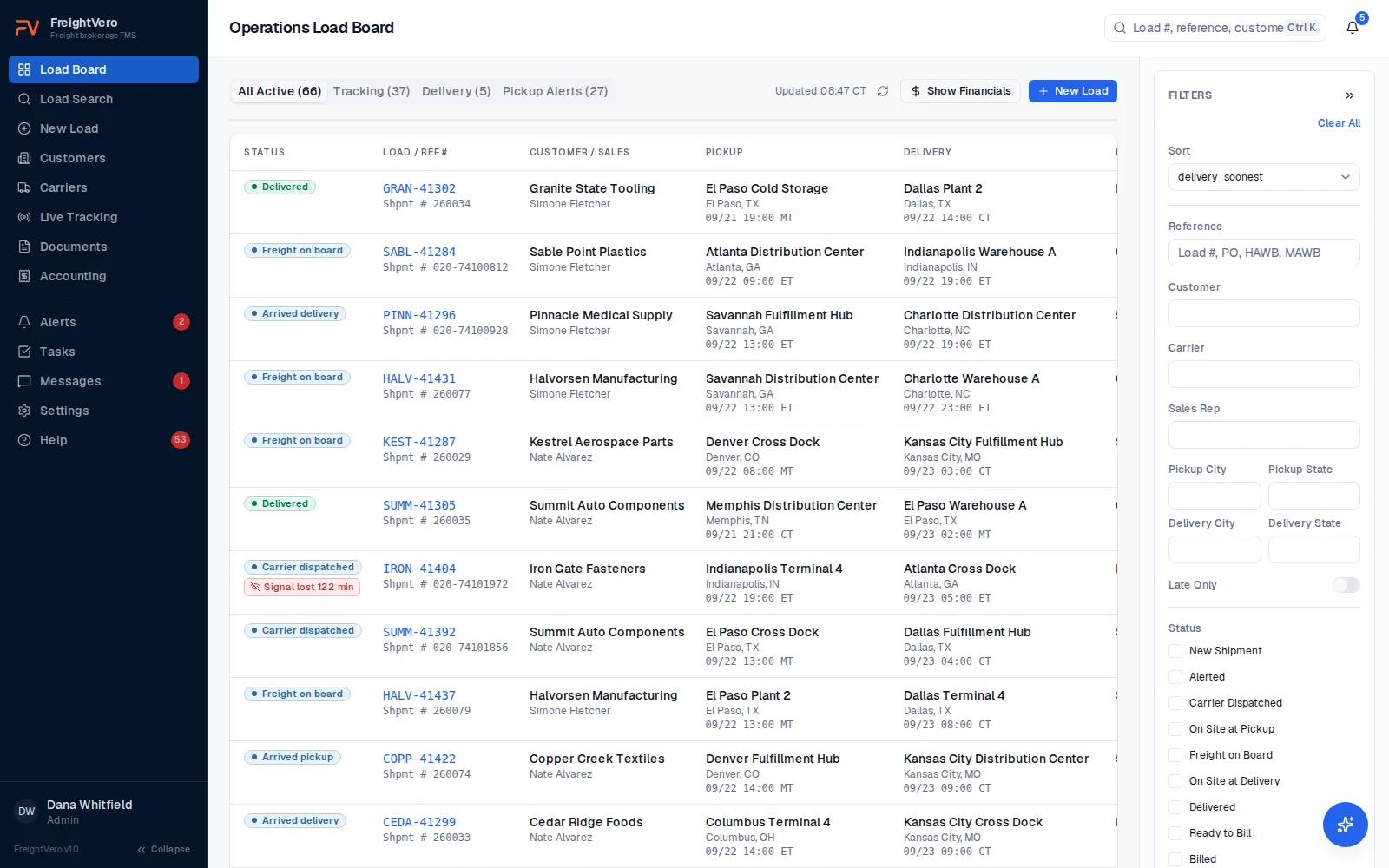
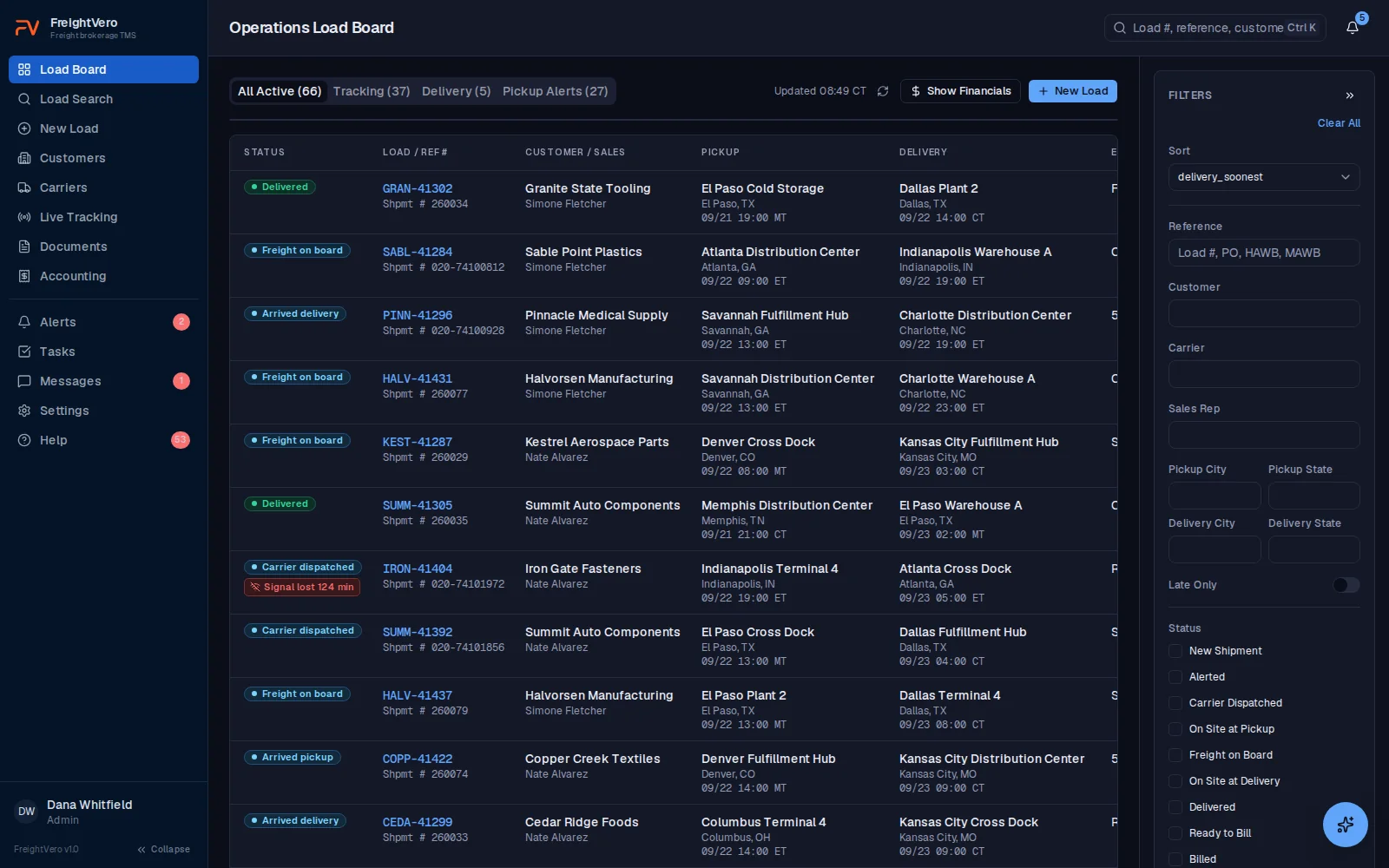
Each row on the board shows the load’s status, load and reference numbers, customer and salesperson, equipment, carrier and driver with MC number, tracking state, and what has to happen next.
Pickup and delivery each read as three stacked lines. The facility or shipper name, then the city and state, then the date and time. You can tell one Hebron from another without opening the load.
The delivery column puts the customer’s commitment on top and the carrier’s alerted time under it, and labels both. Reading the carrier’s time as the customer’s is how a late load gets marked on time, so the board never leaves you to work out which one you are looking at.
Appointment and BY commitments are told apart on the board as well. A stop that reads “9/9 by 1600 ET” over “9/9 at 1300 ET” is showing you a deadline and an appointment, not two times that happen to look alike.
Live tracking shows speed in MPH beside the indicator, even before a city comes back, so a truck that is parked reads differently from one that is rolling. The Next Milestone column shows what comes next instead of repeating the status you already read on the same row.
Tabs split the board into all active loads, loads tracking, loads delivering, and loads with pickup alerts. A summary panel counts active loads, tracking alerts and pickup alerts. The board refreshes on its own, and times read in 24-hour format, so a 06:00 appointment never gets read as 6 p.m..
- Filter by customer, sales rep, equipment or tracking state.
- Show or hide financials with one toggle.
- Jump from any row to the full load.
Load entry that checks every stop
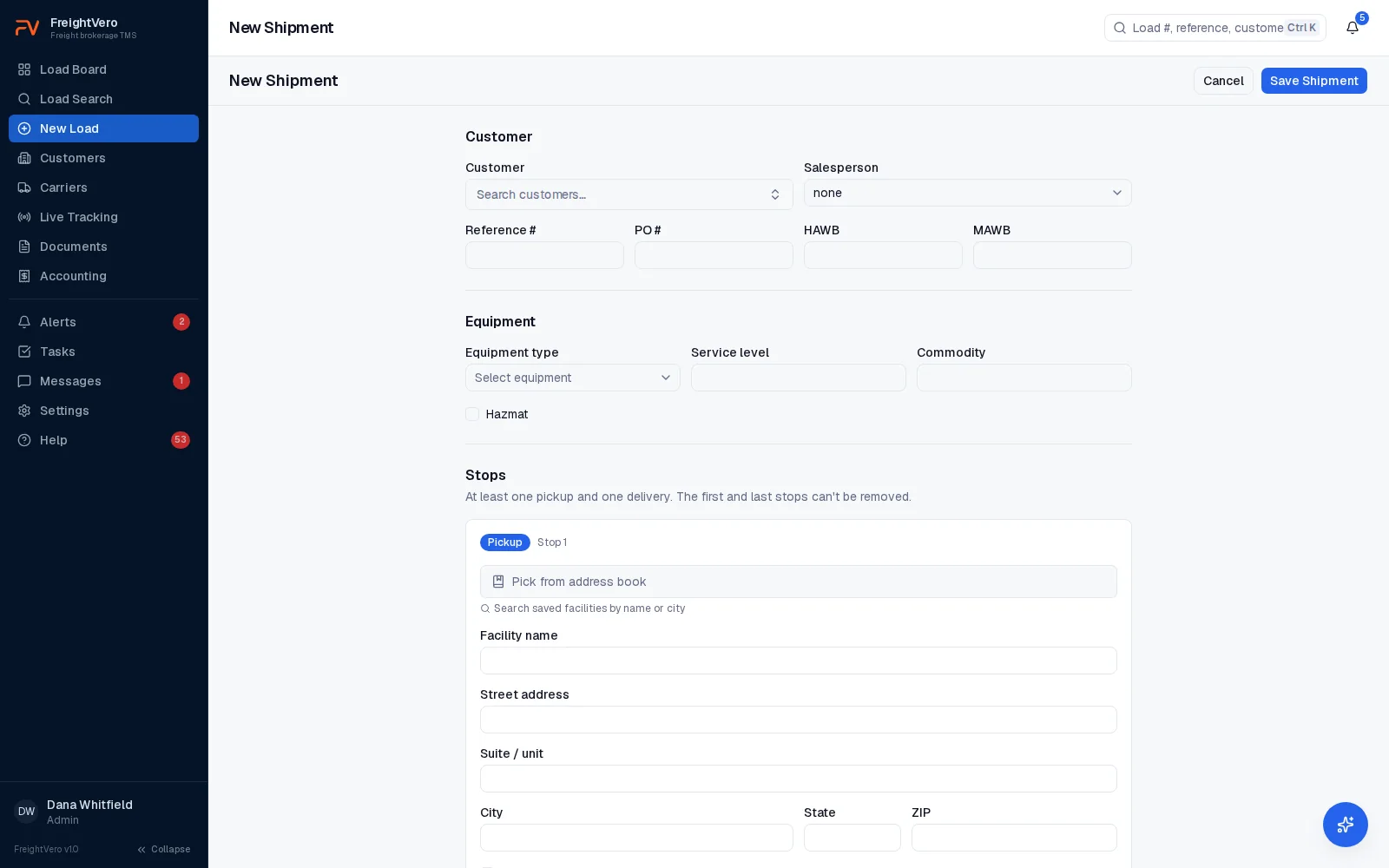
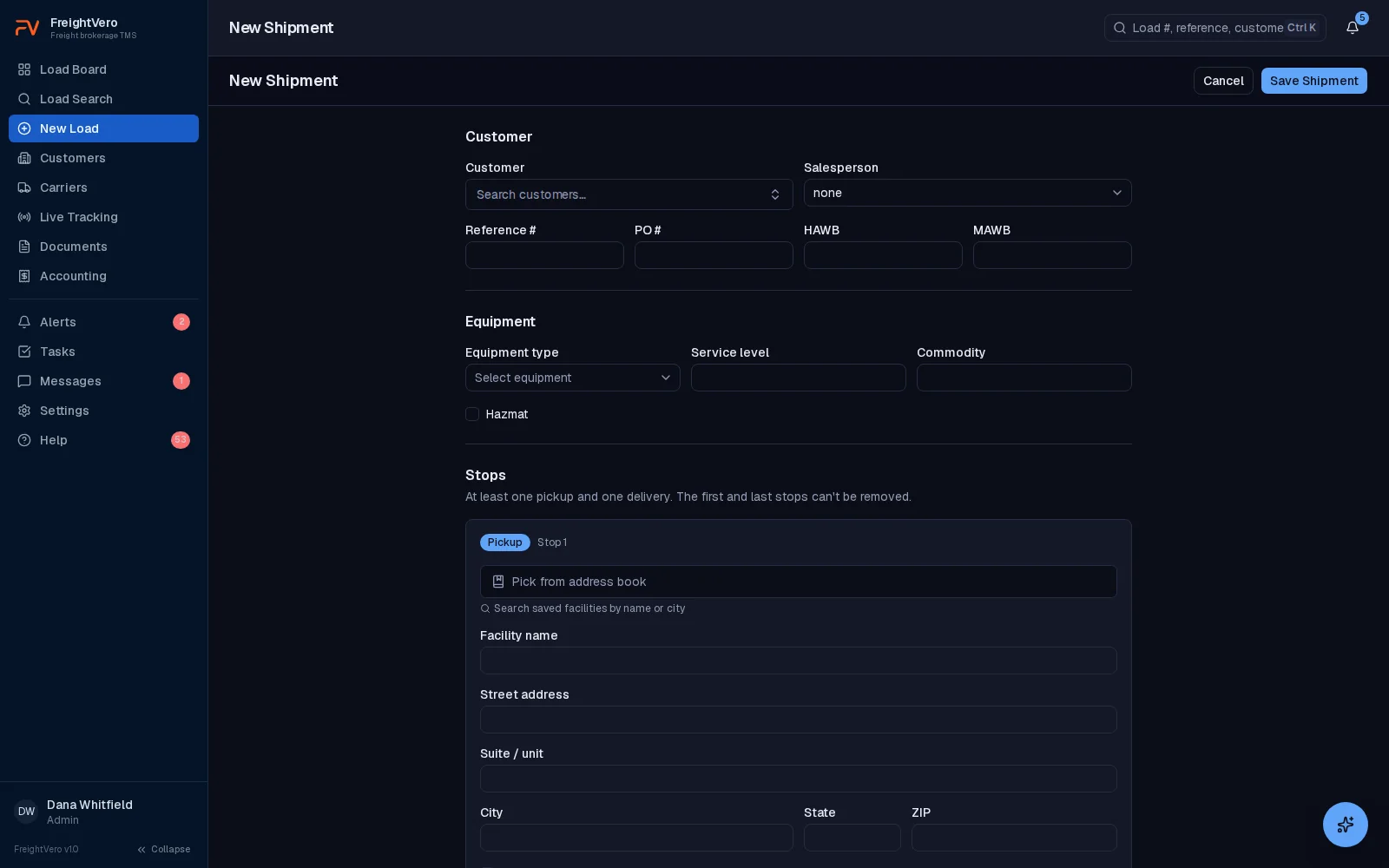
Build a load with any number of pickups and deliveries. Each stop takes an appointment or a window. The customer’s time and the carrier’s time are stored separately, because the carrier often works to a different time than the one on the tender.
Every stop time lives in that stop’s own time zone. Type 16:00 for a Pendergrass, Georgia delivery and it is stored and shown as 16:00 Eastern, not 16:00 wherever your dispatcher happens to be sitting.
The zone comes off the document first, then a facility already on file for that customer, then the zip code. Split states get resolved by zip rather than by state, so Florida, Texas, Tennessee, Kentucky, Indiana, Oregon, Idaho, the Dakotas, Nebraska and Kansas land where they belong. Arizona does not shift in summer and is handled. A stop that has a local time and no zone is refused rather than guessed at, and changing a stop’s zone keeps the wall clock your dispatcher typed.
Pick a real address from autocomplete and the stop’s zone is set for you. Required fields are checked on every stop before the load saves, so a delivery doesn’t go into the system missing its address or its time. Once the load exists, the four checkpoints take over.
- Carrier times drive the rate confirmation and the board
- Customer reference, PO number, equipment and hazmat on the load
- HAWB and MAWB fields for air-freight loads
- Weights convert kilograms to pounds at save, and a weight with no unit is refused
Load numbers and search your team can trust
Every load gets a number in YY#### format, like 260001, unique within your company. It’s assigned once, safely even when two people create loads at the same moment, and it never changes afterward. A load number your customer wrote on a check still points to the right load a year later.
Search finds a load by its number, the customer’s reference, the carrier, the driver or a city. Carriers are searchable by name, MC or DOT. See carrier management for what’s on a carrier record.
Alerts, tasks and messages attached to the load
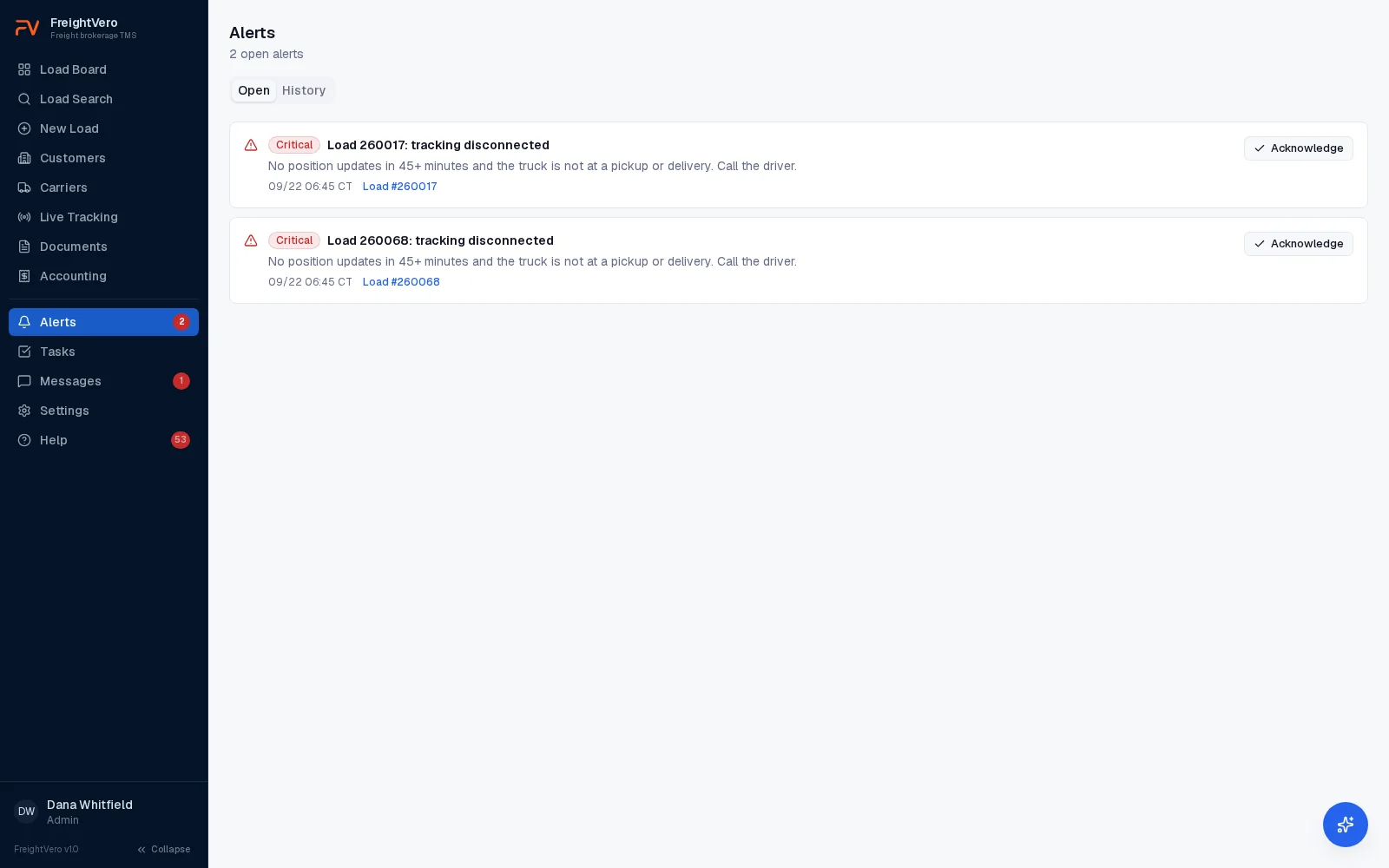
Every 10 minutes, FreightVero checks each load for five conditions: tracking red, tracking disconnected, tracking declined (from live tracking), rate con missing before pickup, and billing blocked. Each alert links to its load and clears itself when the problem is fixed.
Tasks hang off the load with an assignee and a due date, so the POD chase or the lumper receipt has an owner. Staff message threads sit on the load too, so the story of a problem load isn’t split across three inboxes.
- Critical and warning levels, with open and history views
- Alerts that cleared themselves recorded apart from acknowledged ones
- Alerts, tasks and messages are on the Growth and Scale plans
The board shows the checkpoints, the database enforces them
Next milestone on the board and Required actions on the load both reflect the four checkpoints: Alerted, Carrier Dispatched, Freight On Board and Delivered.
Checkpoint 1
Alerted
Carrier locked in
- Active carrier assignment
- Approved compliance status on the carrier
- Driver and truck recorded
- Tracking accepted
Checkpoint 2
Dispatched
Paper matches the deal
- Latest rate confirmation version signed
- A rate change after signature needs a new signature
Checkpoint 3
Freight on board
Proof it left
- BOL uploaded
- Freight photos uploaded
Checkpoint 4
Delivered
Proof it arrived
- POD uploaded
- Signer's first and last name
Everything else that lives on a load
Checkpoints Live
Proof required before a load reaches Alerted, Carrier Dispatched, Freight On Board or Delivered. Truck number is optional at Alerted. A driver is still required.
Carrier booking Live
Book a carrier, record driver and truck, and keep the history when a carrier falls off.
Live tracking Live
Load Market tracking requests, speed in MPH beside the indicator, ETA risk colors and a flag when tracking goes quiet for 45 minutes.
Documents Live
Rate cons with versions, signed rate cons, BOLs, freight photos, truck photos and PODs.
Financials Live
Revenue and margin on the load, feeding reports for volume, margin, on-time and tracking coverage.
Billing queue Live
Delivered loads move to a queue checked against the customer’s billing rules.
Audit log Live
Every change to the load, with who, when, and the old and new value. The log names the field that changed instead of saying update.
Editing a booked load Live
Pieces, weight, commodity, description, addresses and stop times stay editable after a load is booked. Every edit writes to the audit log with the old value and the new one.
Deleting a shipment Live
An Admin, or whoever entered the shipment, can delete it. It refuses once an invoice is raised, once a rate con has gone to or been signed by a carrier, or once a carrier payment exists.
AI load intake Live
Drafts a load from a rate con or air-freight delivery order for a person to confirm. The review screen hasn’t shipped.
What load management doesn't do yet
Loads are entered in the New Load form today. Creating a load from a rate con PDF is part of AI load intake, which is live. Open loads don’t import from another TMS, and there’s no EDI tender import. Customers and carriers do import from CSV.
Keep exploring
Bring a messy load to the demo
Multi-stop, a window on one end and an appointment on the other, different carrier times. We’ll build it on the call.
Frequently asked questions
Can the load board show one salesperson's loads only?
Yes. Filter the board by sales rep, and combine it with customer, equipment or tracking filters. The tabs narrow further to loads tracking, delivering or with pickup alerts. Clear the filters to return to every active load.
Can I create a load from a rate con PDF?
Not yet. AI load intake, which reads a rate confirmation or air-freight delivery order and drafts the load for a person to check, is in development. Its review screen hasn't shipped. Today loads go in through the New Load form. See AI load entry.
Does load management work for freight forwarders?
Load records include HAWB and MAWB fields, and the AI intake engine in development reads air-freight delivery orders. The board treats those loads like any other. See FreightVero for freight forwarders.
Is the load board on the Starter plan?
Yes. The load board, load entry, multi-stop, checkpoints, rate cons, documents and the billing queue are on every plan. Live tracking is on every plan too. Alerts, tasks, messaging and reporting start on Growth. See pricing.
Whose time zone do stop times use?
The stop's own. A 16:00 appointment in Georgia is 16:00 Eastern, whatever zone the person typing it is in. The zone comes off the document first, then a facility already on file for that customer, then the zip code. Split states like Florida, Texas, Tennessee and Kentucky are resolved by zip rather than by state, and a stop with a local time and no zone is refused rather than guessed at.
Someone typed the wrong weight. Can we just fix it?
Yes. Pieces, weight, commodity, description, addresses and stop times are all editable on a booked load. Every change writes to the audit log with the field, the old value and the new value, and the log is append-only with the guard in the database. That audit trail is what makes an editable weight safe instead of dangerous. Anyone can see what the number was before, who changed it and when.
Can a load be deleted if it was entered by mistake?
An Admin can delete a shipment, and so can whoever entered it, because the person most likely to want a typo gone is the one who made it. It refuses in three cases: an invoice has been raised, a rate confirmation has been sent to or signed by a carrier, or a carrier payment exists. At that point the load is a business record rather than a typo, and the refusal says which of the three is the reason.