Broker TMS Live
TMS software for brokers, with checkpoints enforced in the database
One TMS for loads, carriers, rate cons, tracking and billing. Four checkpoints live in the database, so a load can’t move forward until the proof behind it is on file.


Take the tour before you take the demo.
Pick a screen, hover the numbers, flip it to dark mode. Desktop and phone, straight from the product.
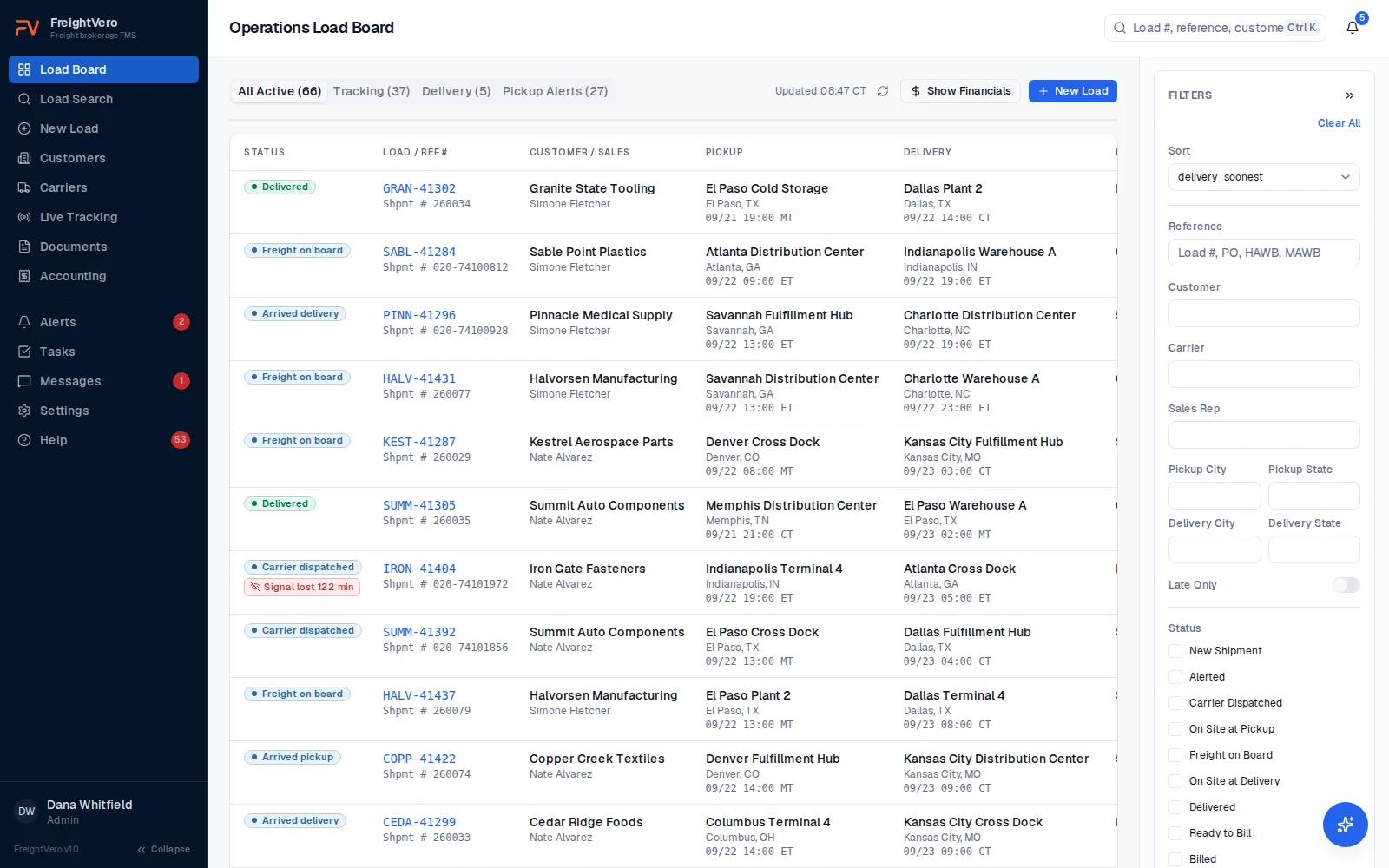
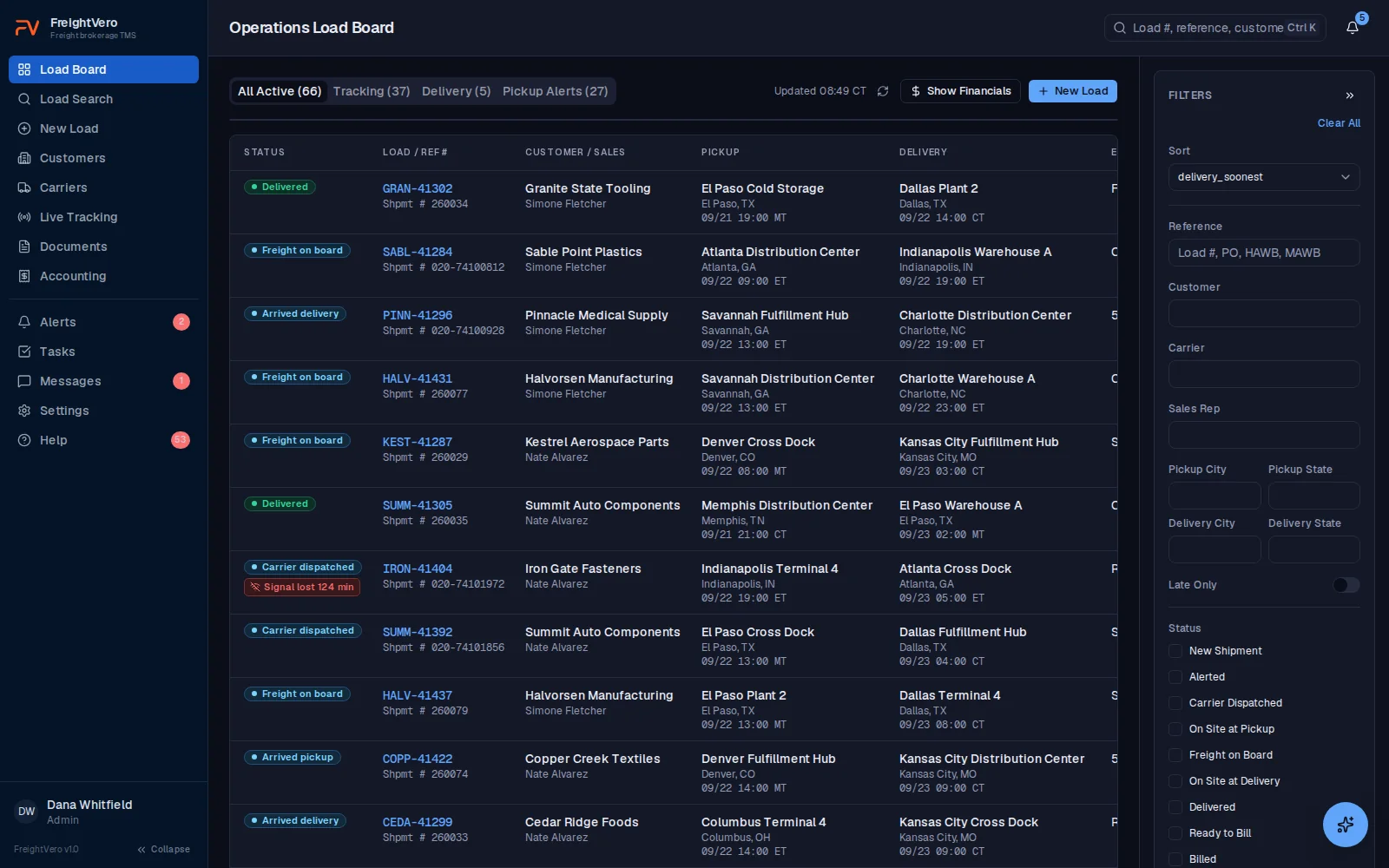
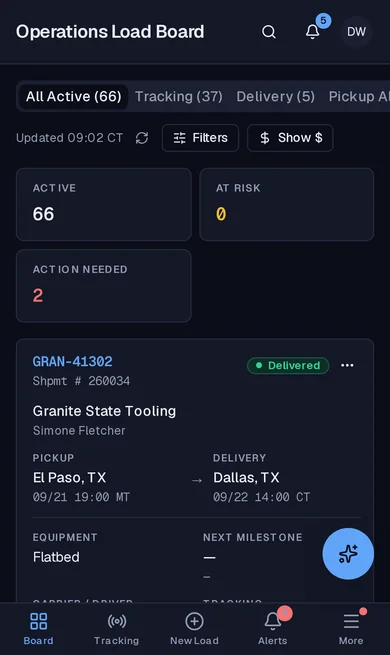
Load board. Every active load, where it stands and what it needs next. Learn more about Load board
- 1Status only moves forward when the checkpoint behind it is met.
- 2A tracking gap shows on the board, not in someone's inbox.
- 3Switch between all active loads, tracking, deliveries and pickup alerts.
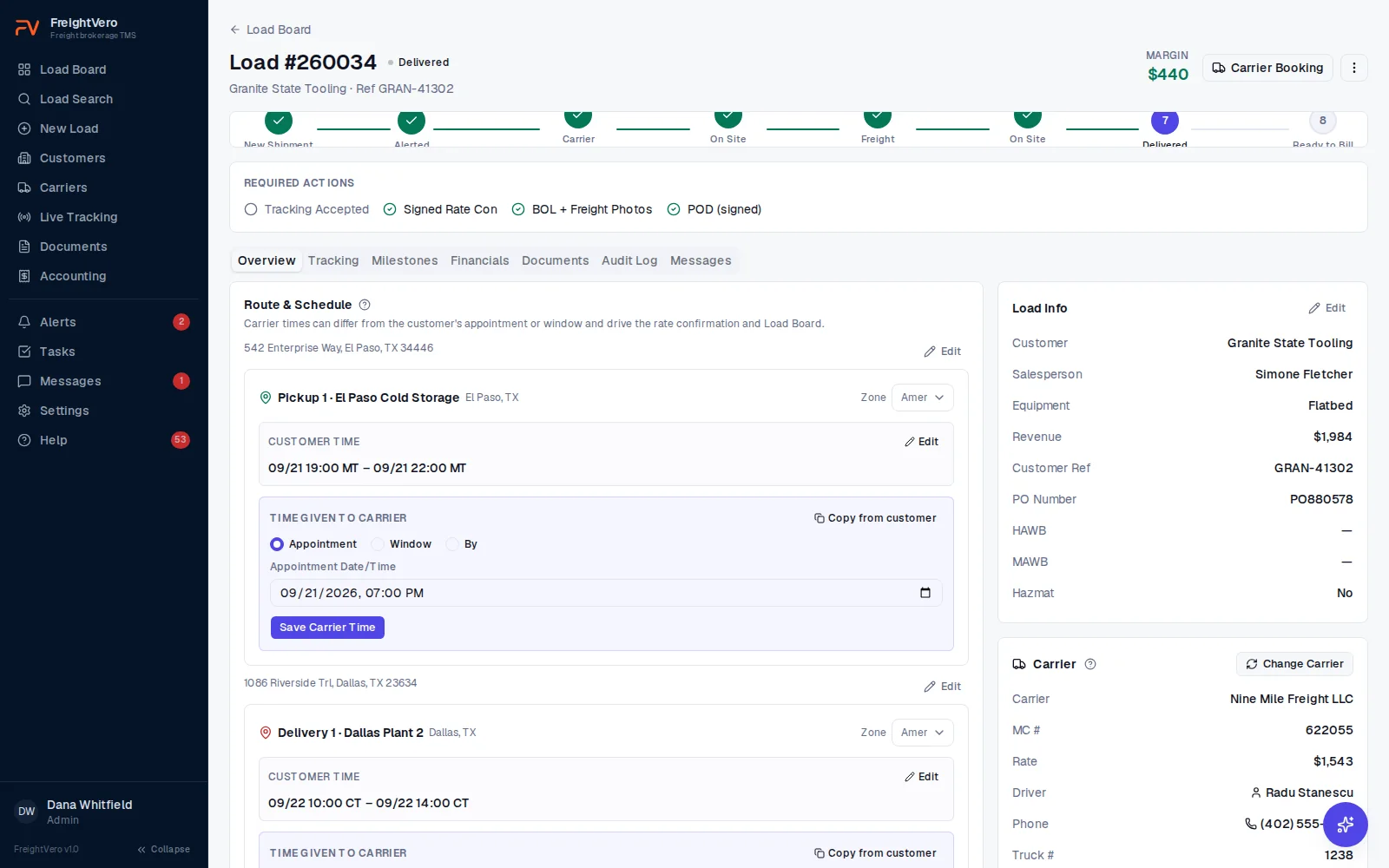
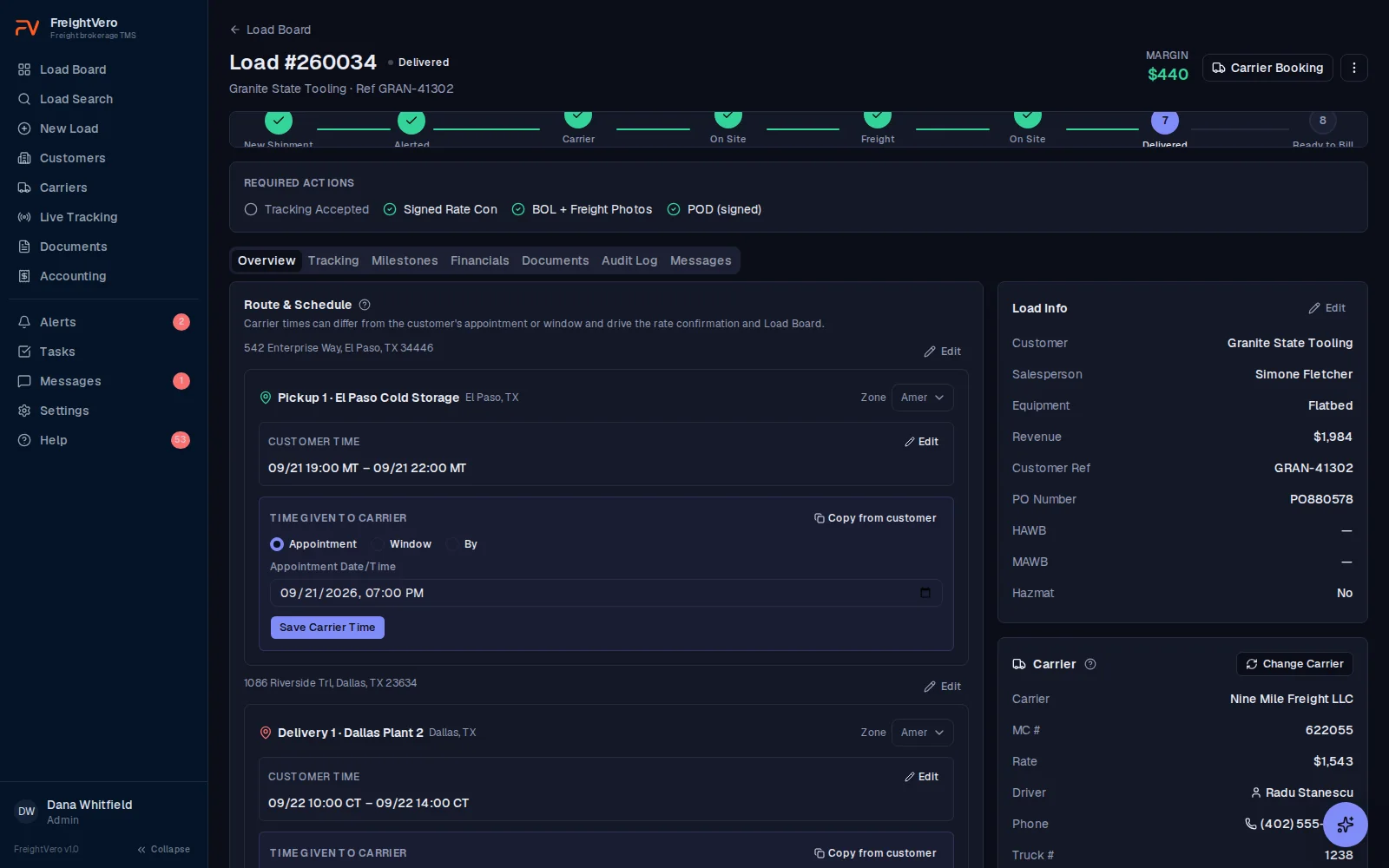
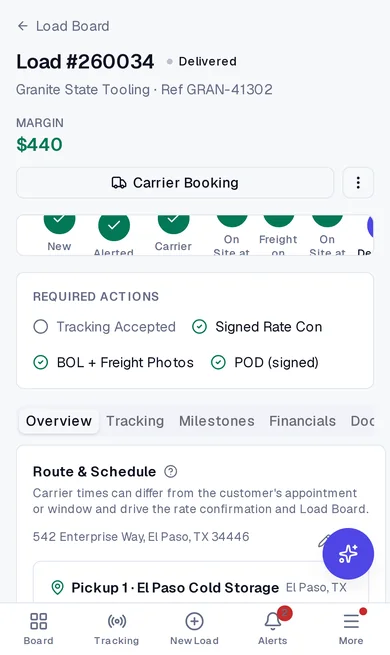
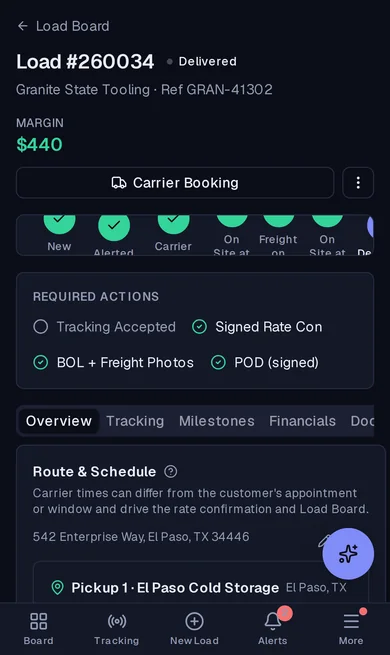
Load detail. The status tracker, the proof each step needs and every time on the load. Learn more about Load detail
- 1Ten load statuses on one path, from new shipment to billed.
- 2Required actions spell out what blocks the next status.
- 3The carrier's appointment is kept apart from the customer's window.
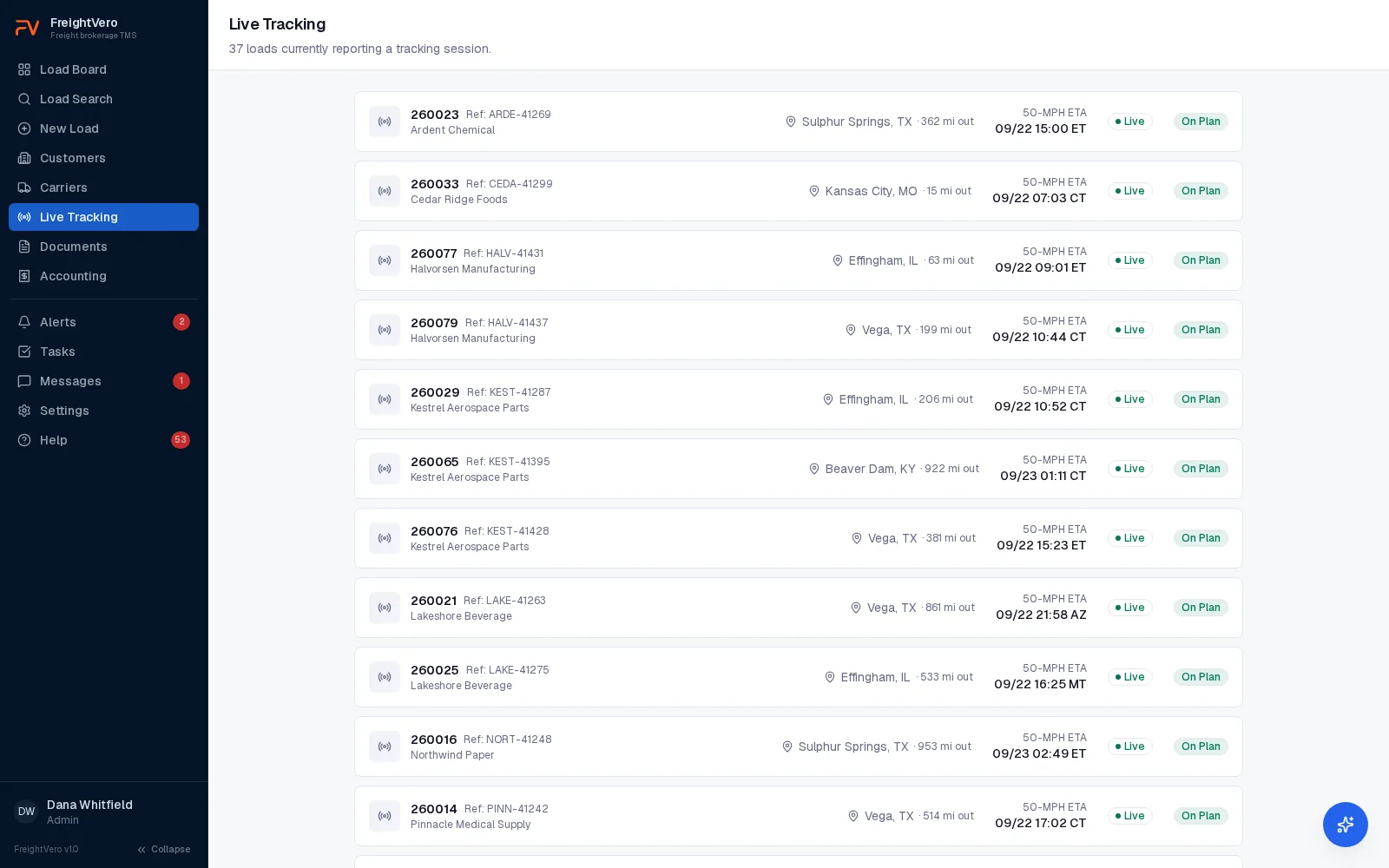
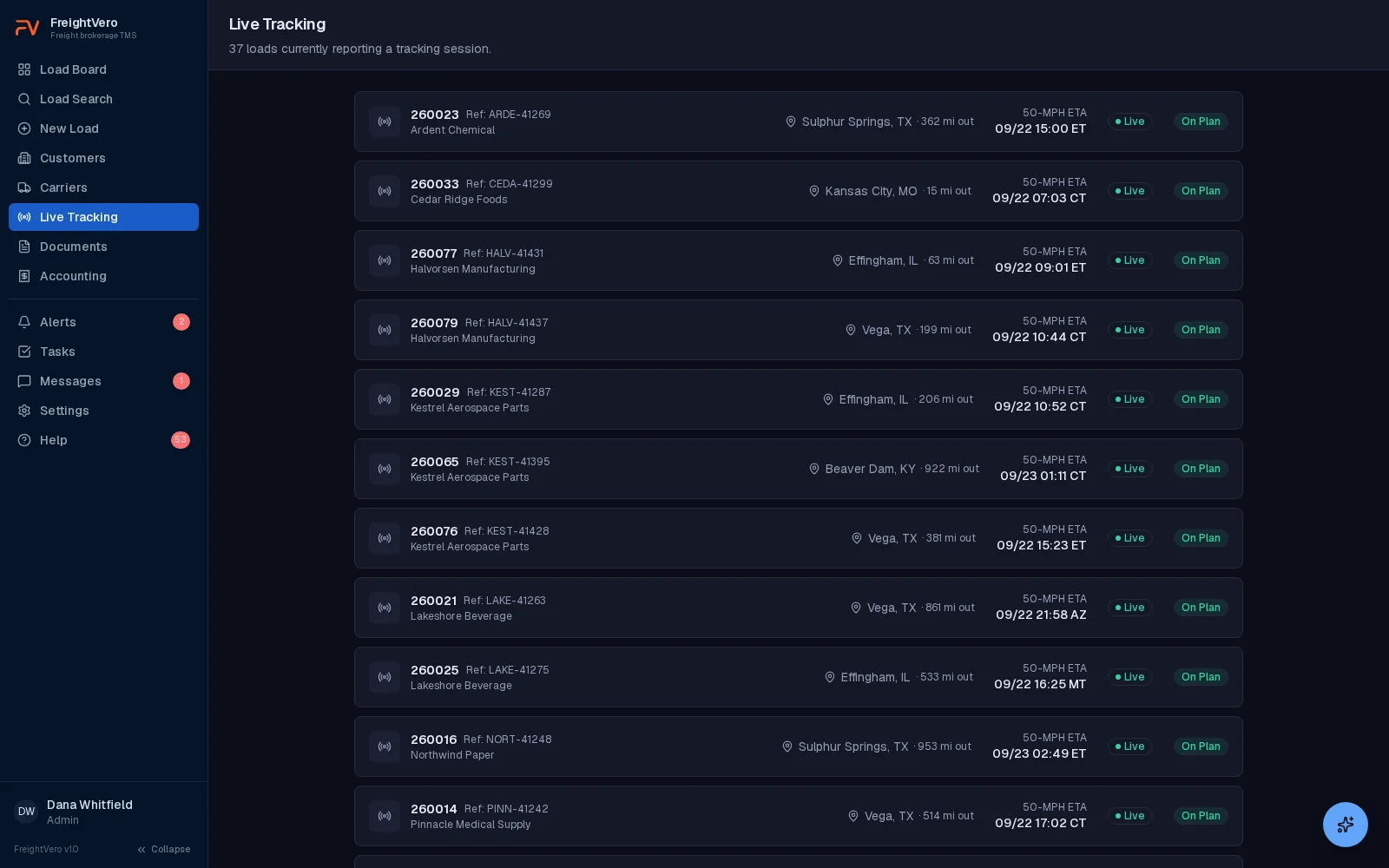
Live tracking. Every load reporting a tracking session, with an ETA you can plan around. Learn more about Live tracking
- 1ETA at 50 mph, shown in the stop's own time zone.
- 2Risk is checked against the carrier appointment, not a guess.
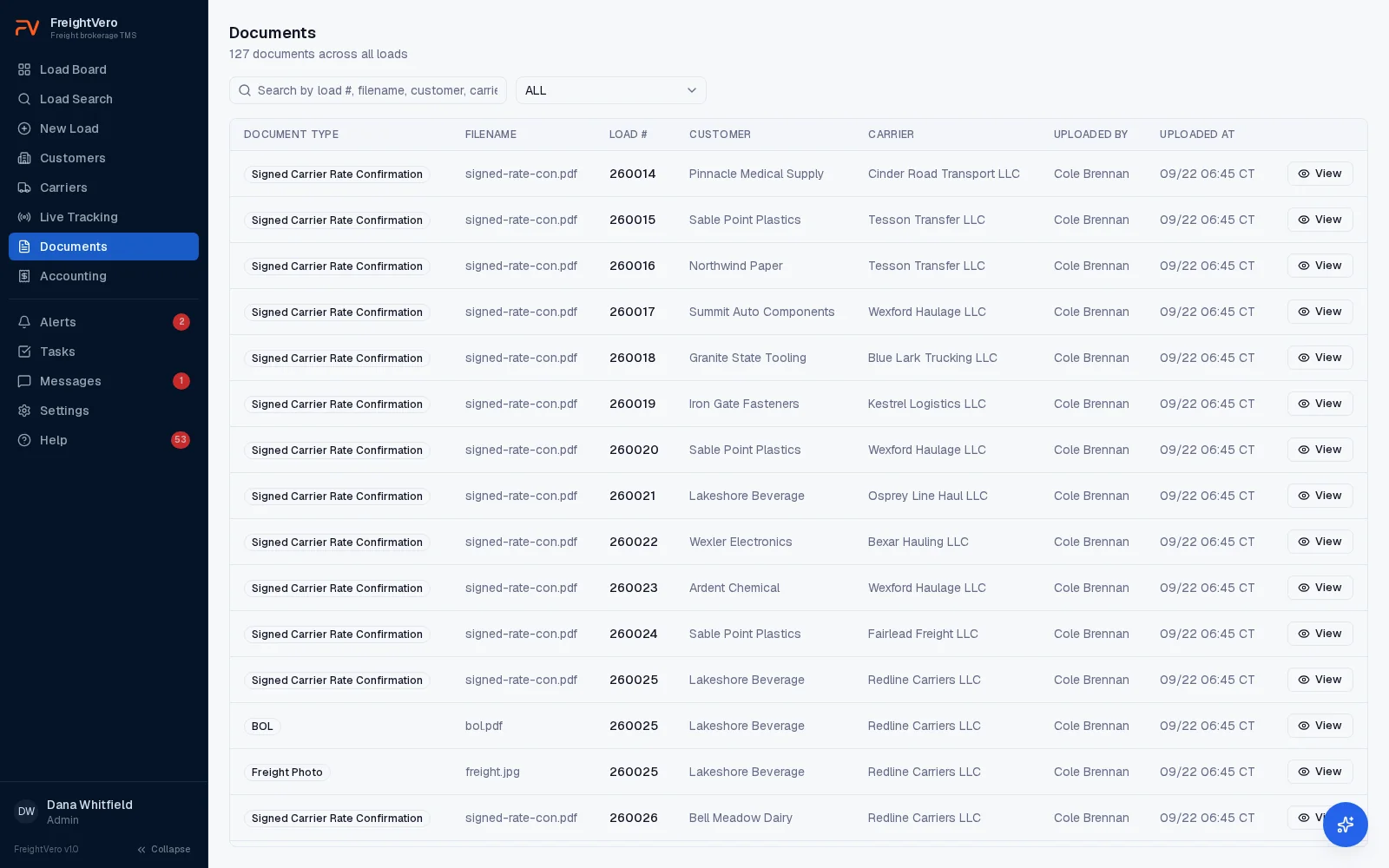
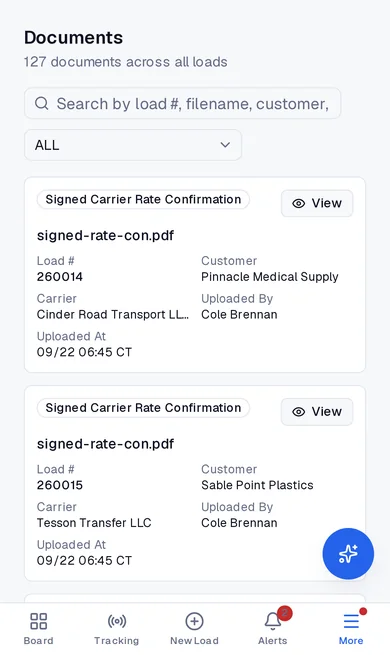
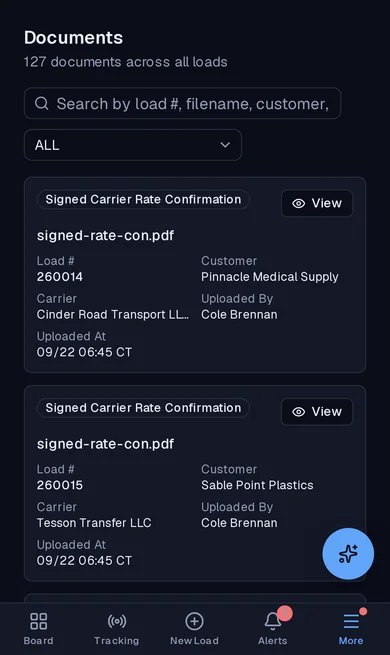
Documents. Rate cons, BOLs, freight photos and PODs, filed on the load they belong to. Learn more about Documents
- 1Signed rate cons mark themselves the moment they are uploaded.
- 2Who uploaded it and when, on every file.
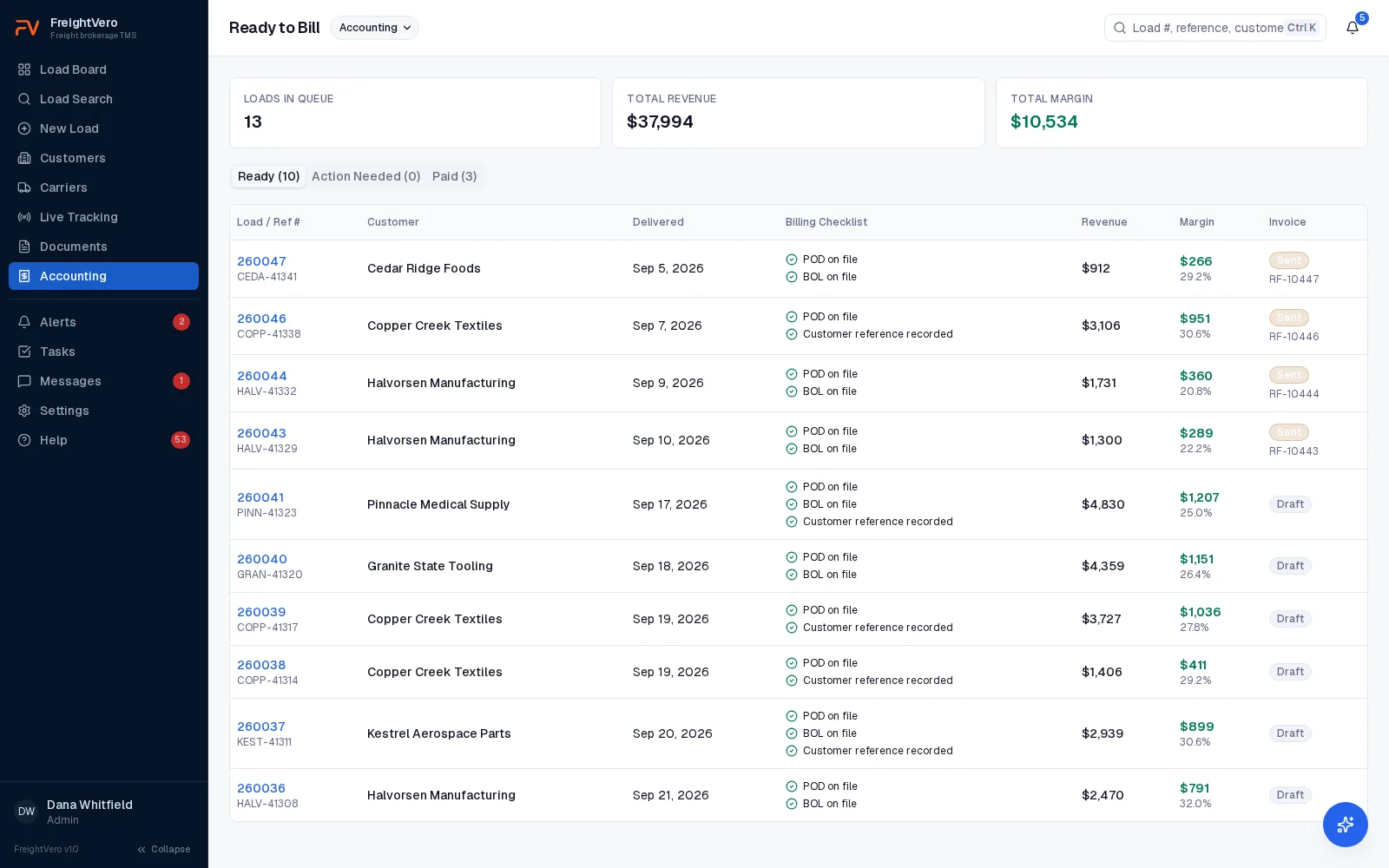
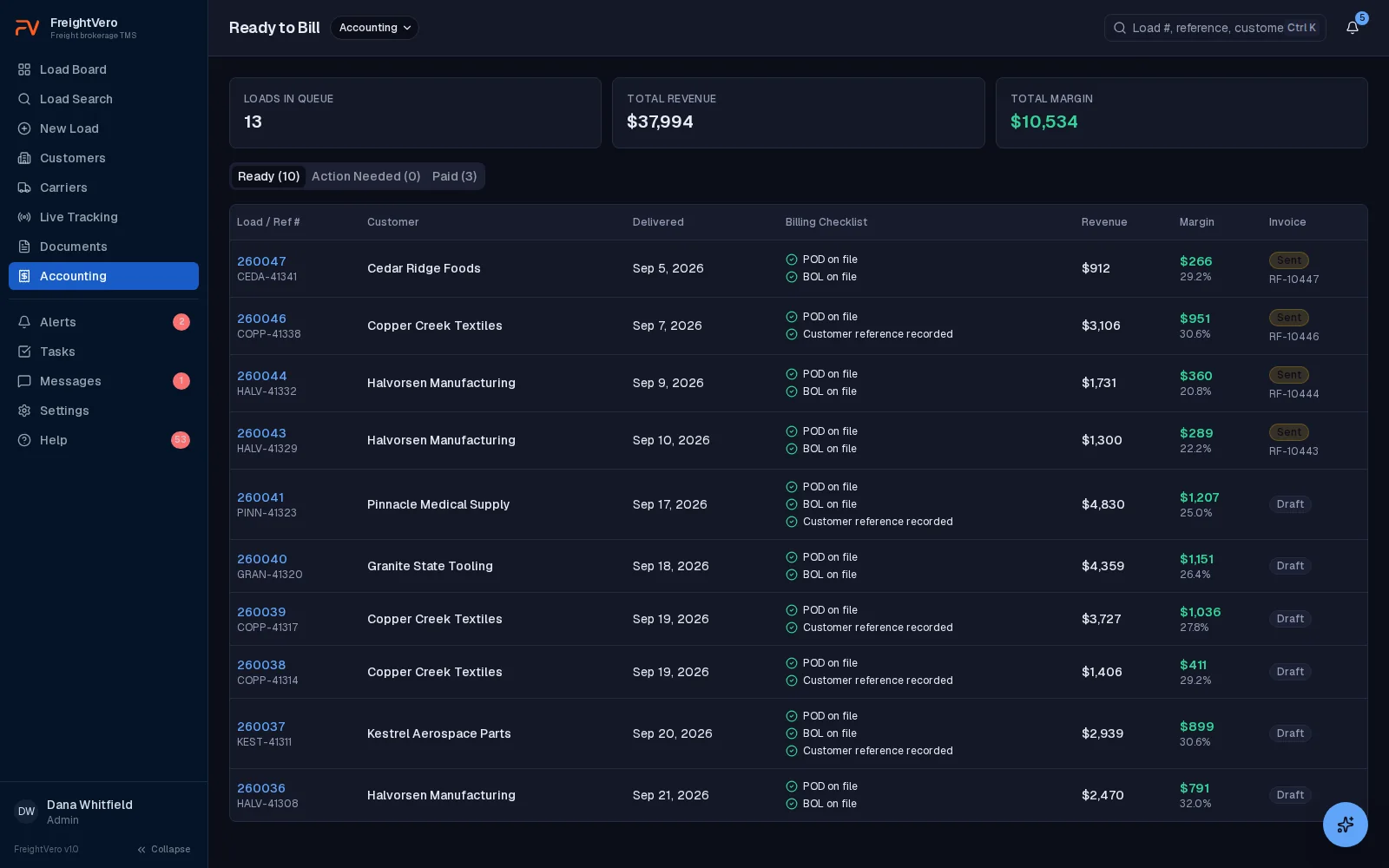
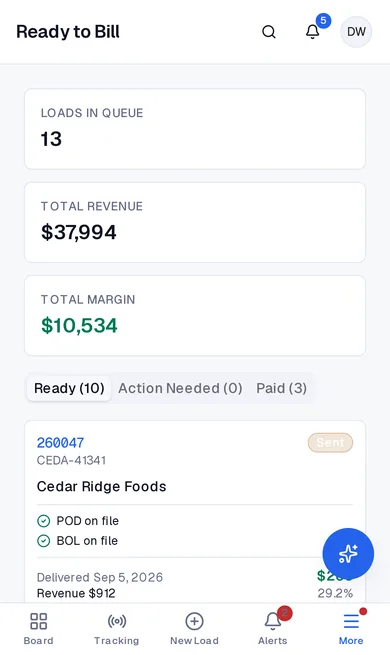
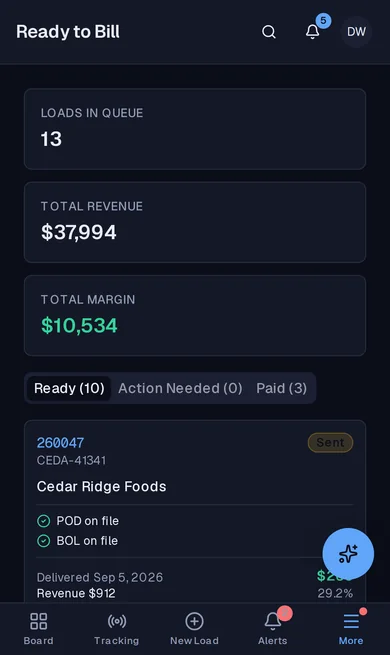
Ready to bill. A billing queue that only fills with loads that are actually ready. Learn more about Ready to bill
- 1A billing checklist per load: POD, BOL and the customer reference.
- 2Revenue and margin in view before the invoice goes out.
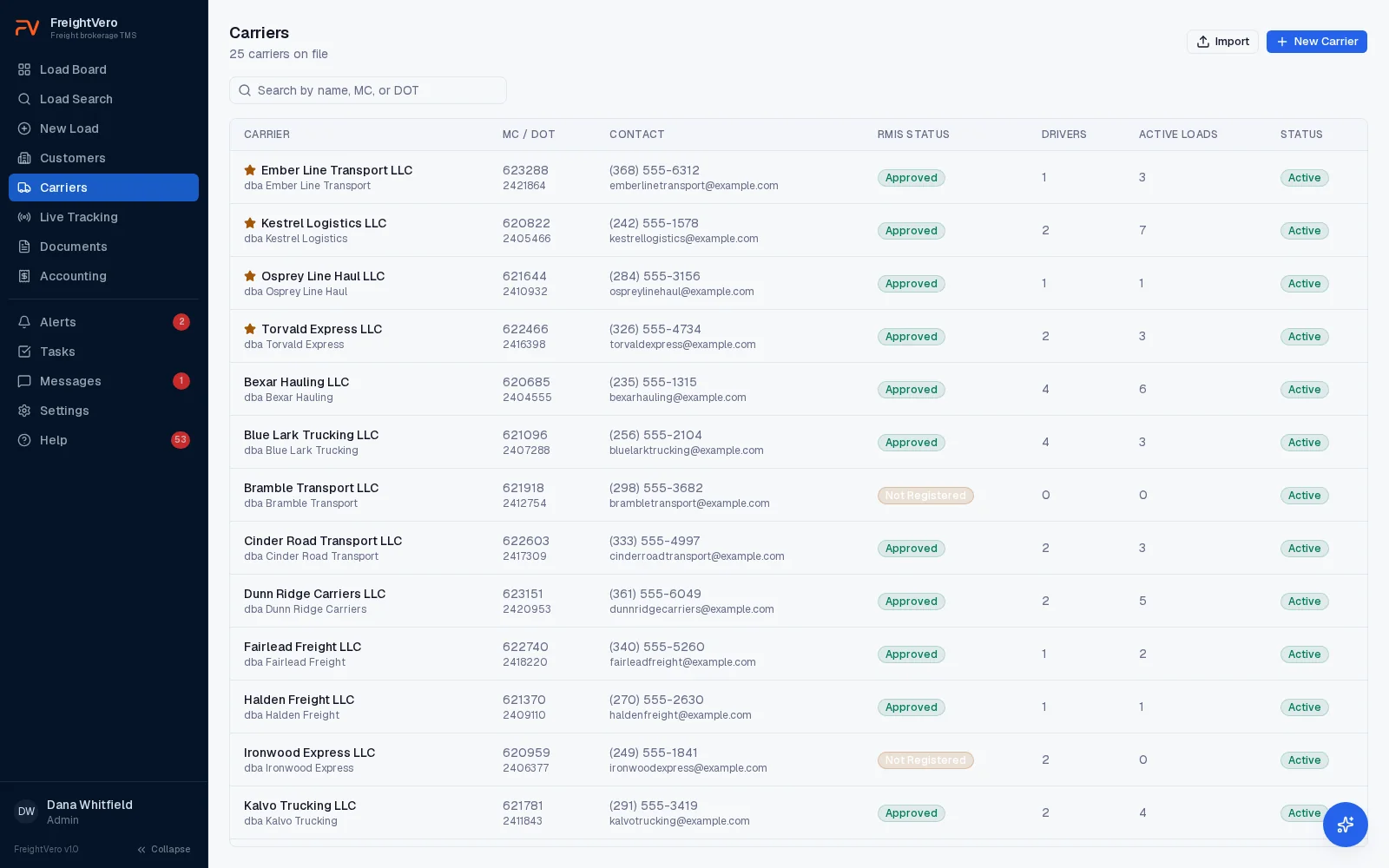
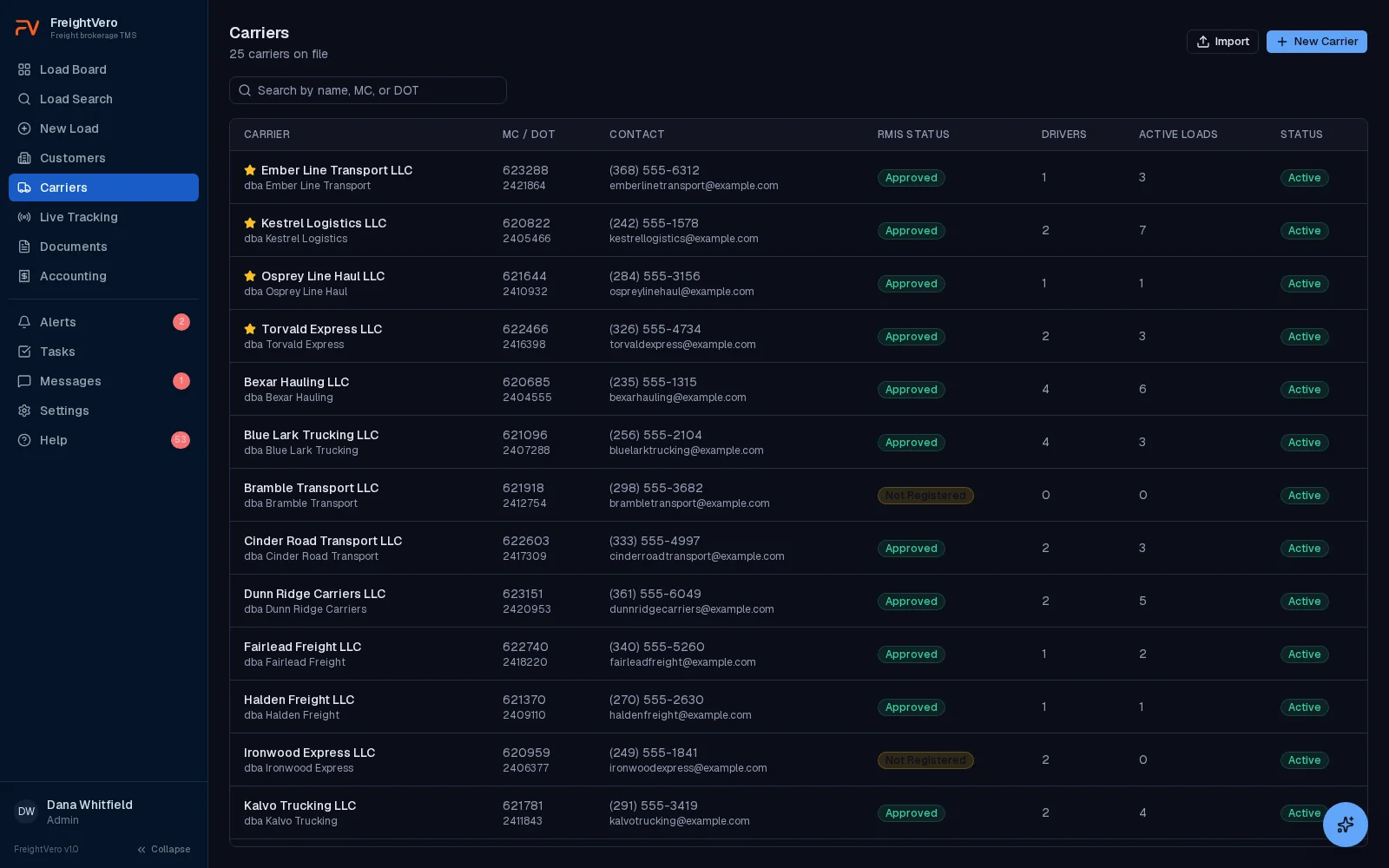
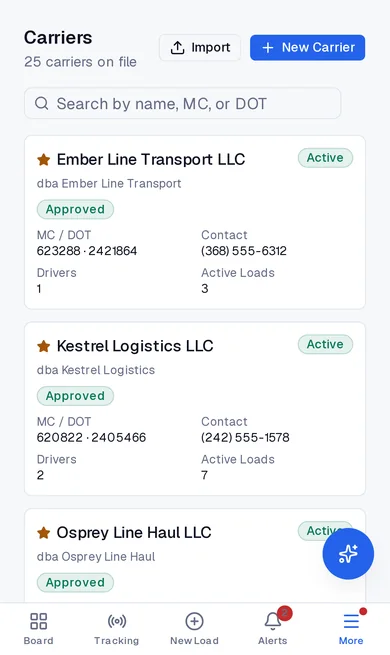
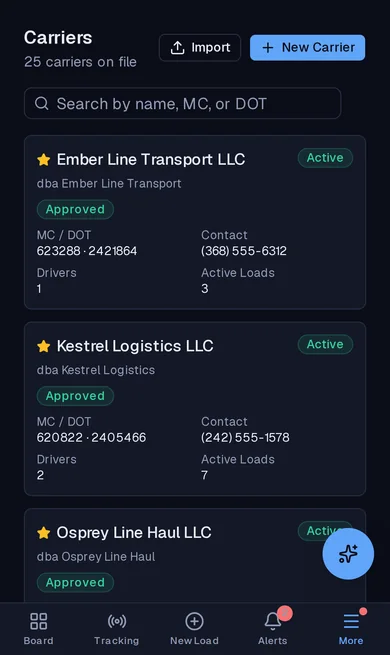
Carriers. Your carrier base with the compliance status beside every name. Learn more about Carriers
- 1Compliance status on every carrier, before you book them.
- 2Preferred carriers are starred.
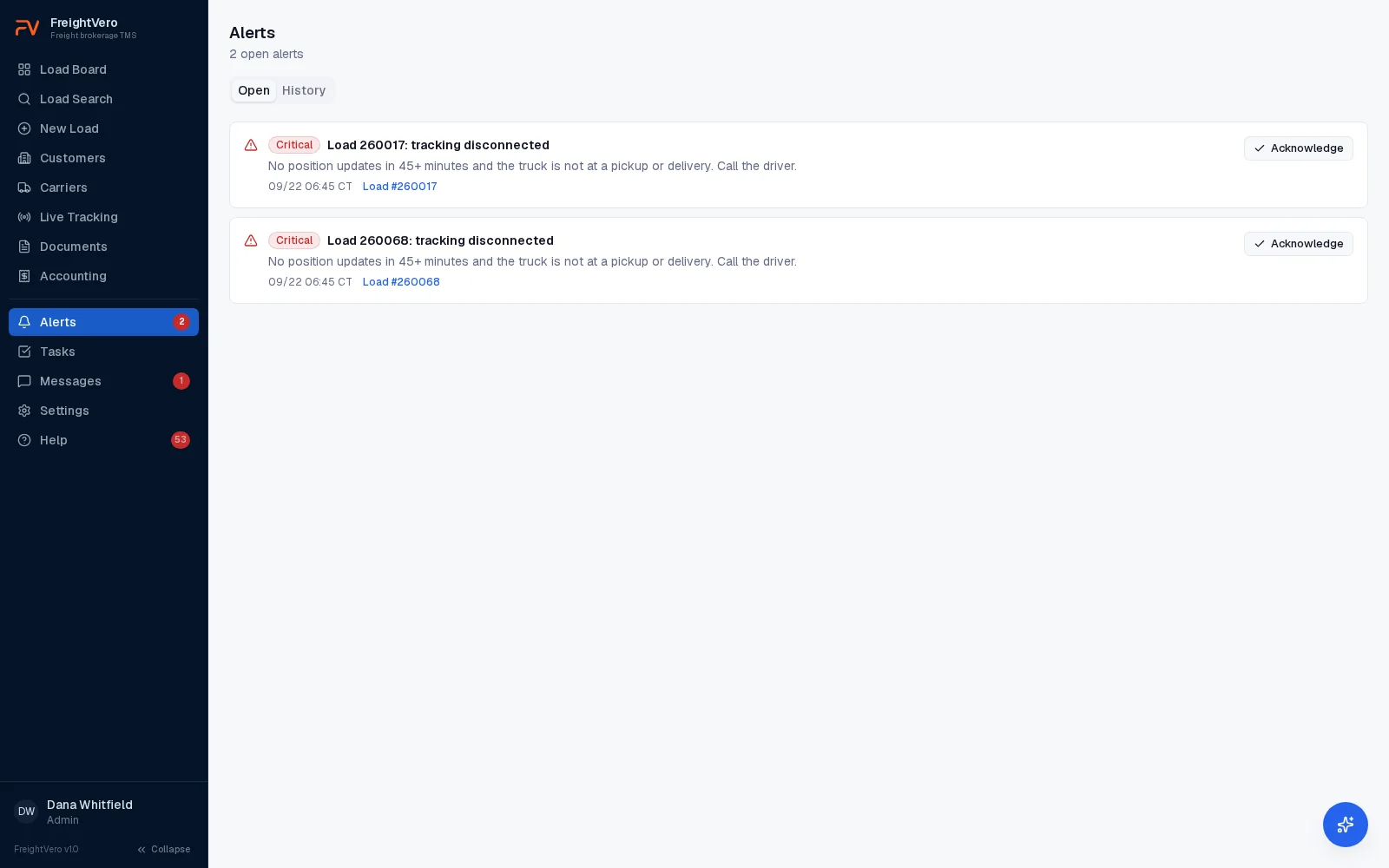
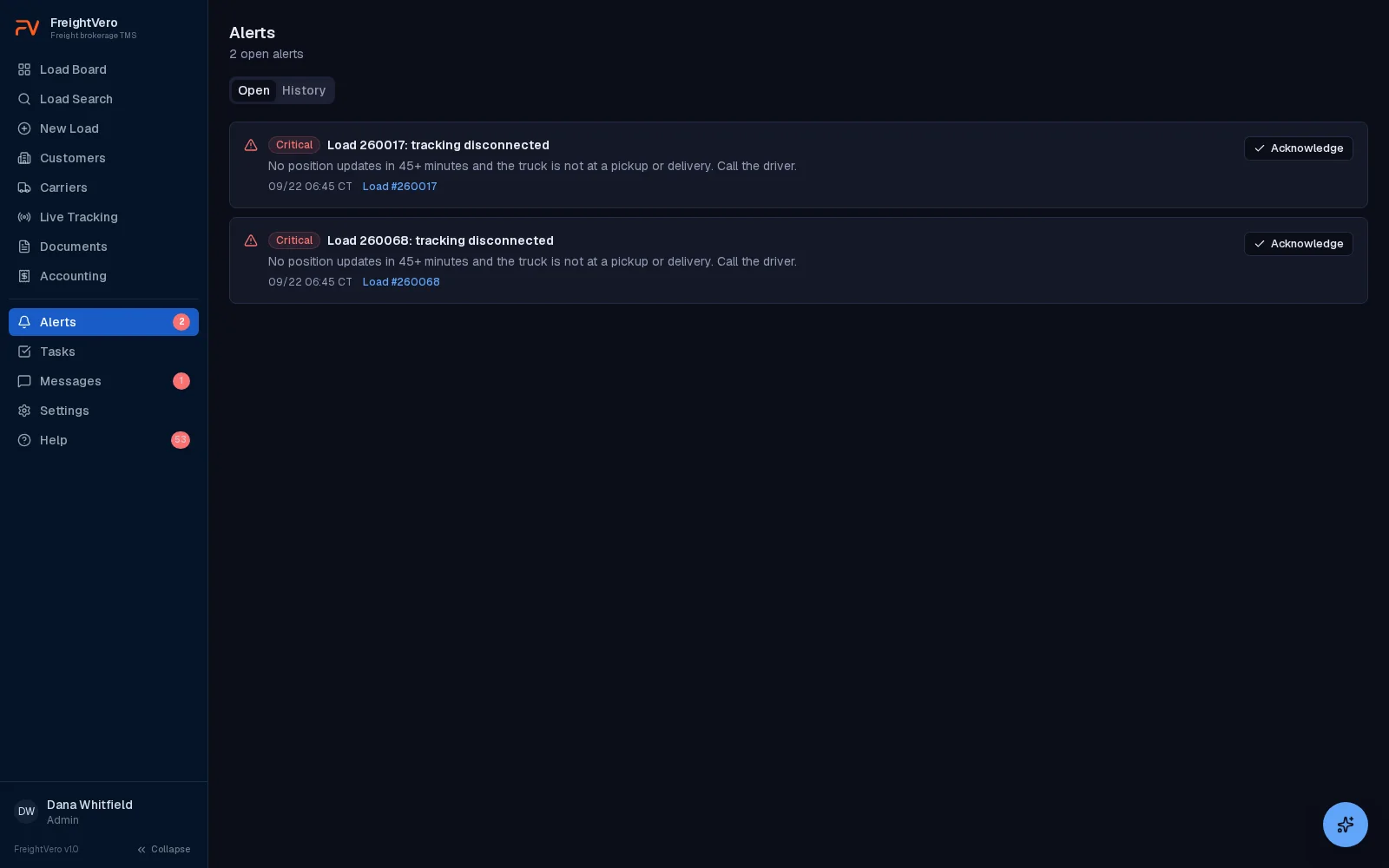
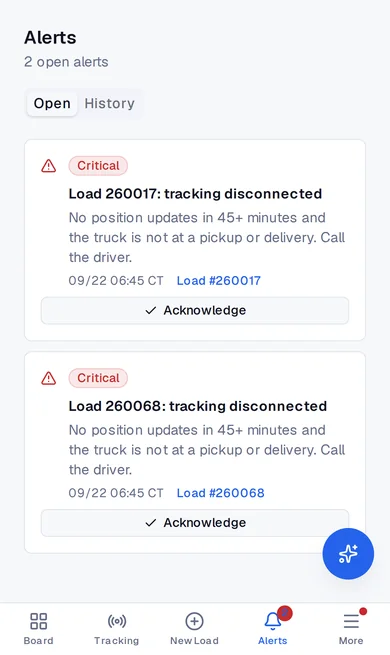
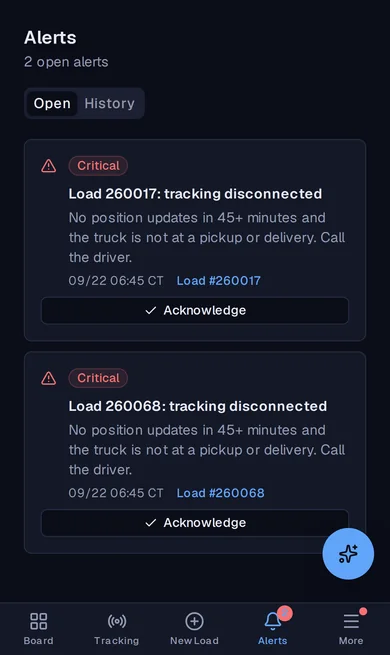
Alerts. Problems raised once, linked to the load and cleared when fixed. Learn more about Alerts
- 1Critical alerts link straight to the load.
- 2Acknowledge it once. It clears itself when the problem is fixed.
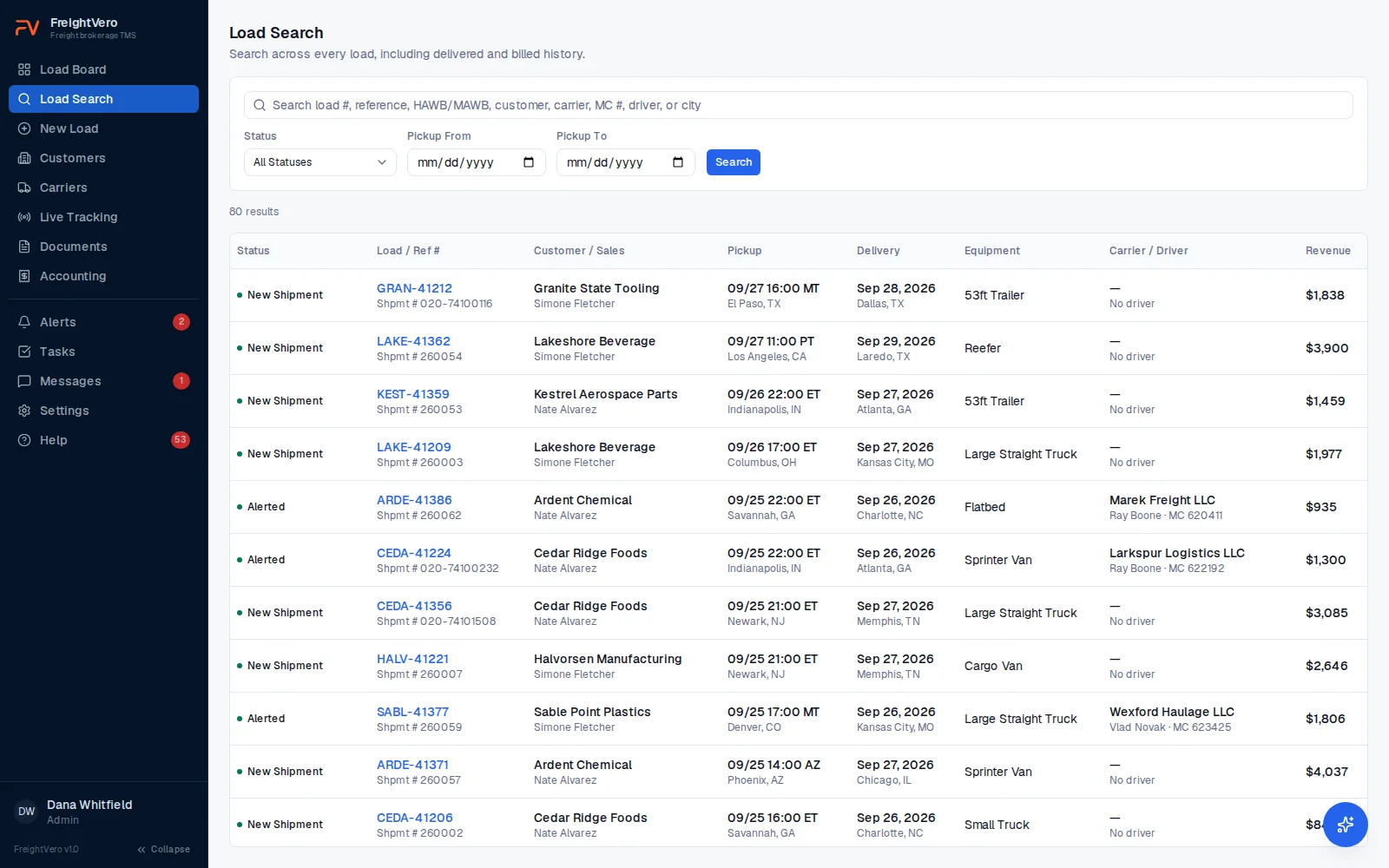
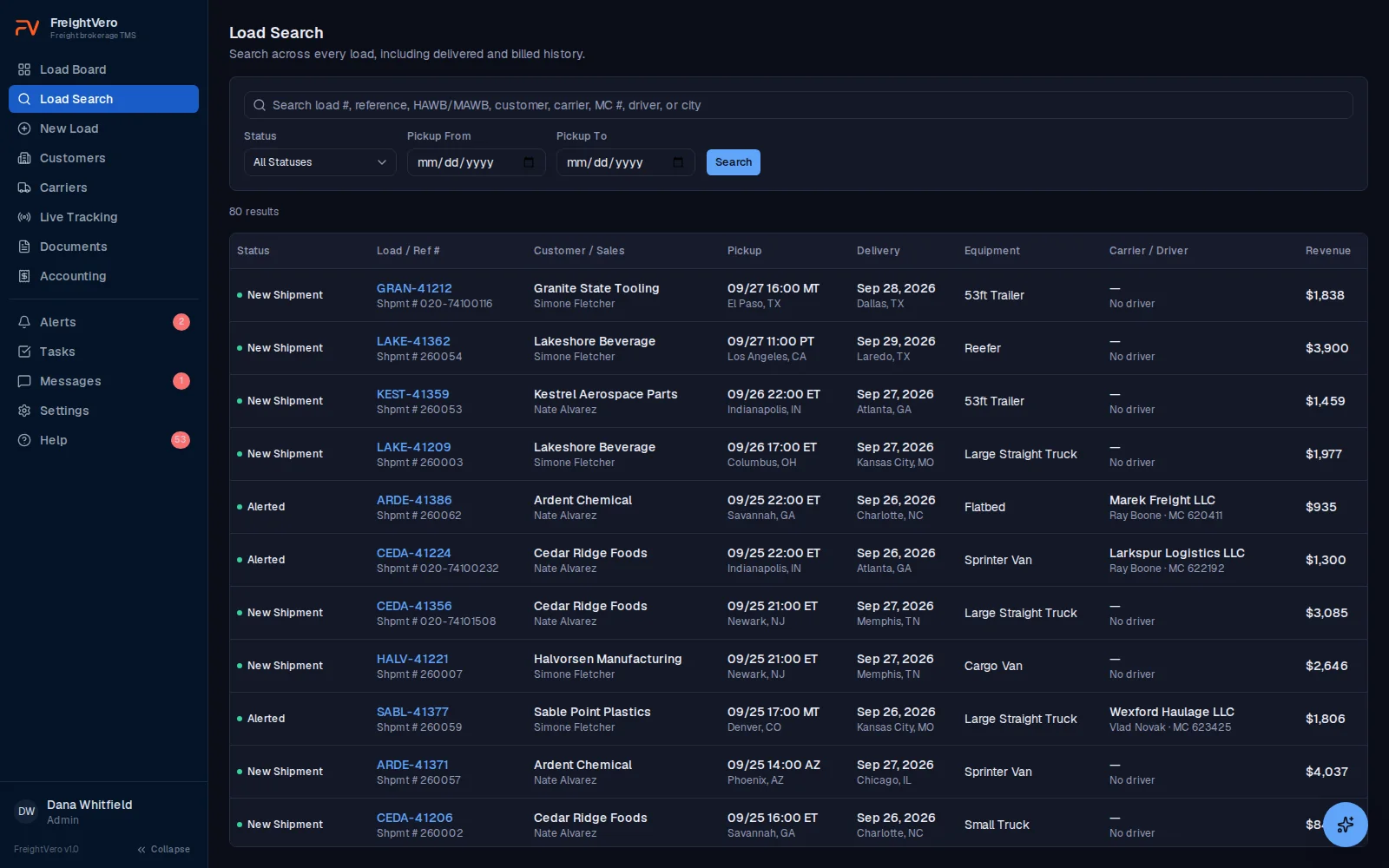
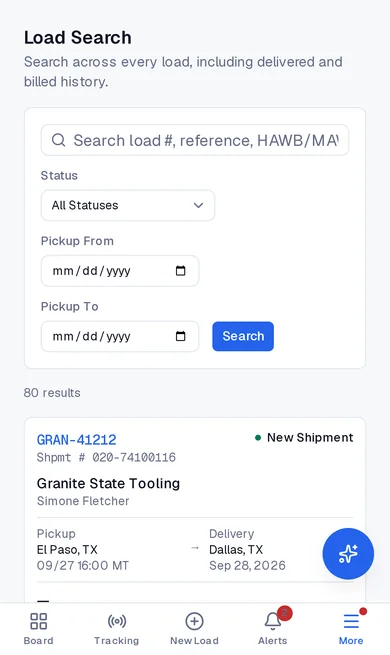
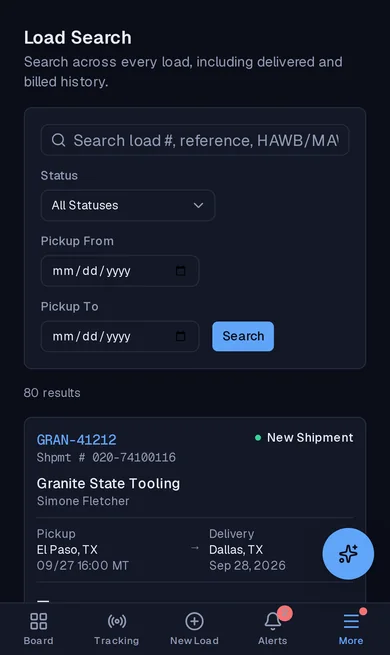
Load search. Find any load, including delivered and billed history. Learn more about Load search
- 1Search by load number, reference, HAWB, customer, carrier, MC, driver or city.
Desktop and phone, light and dark. Demo workspace with sample data, every screen from the live product.
- 4
checkpoints enforced in the database
- 10
load statuses, from New Shipment to Billed
- 4
user roles: Admin, Operations, Sales, Billing
- $0
per-load fees on any plan
A TMS built for the broker's side of the load
FreightVero is a transportation management system for freight brokers. It covers the work between a customer’s tender and a billed load: load entry, carrier booking, rate cons, documents, tracking, alerts and the billing queue.
It’s also new. Today it runs in production at one brokerage, Bronco Logistics, our design partner. Most of what’s on this page is live, and the pieces that aren’t are labeled. New to the category? Start with what a transportation management system is.
Every load shows what's blocking it
Open a load and the status stepper shows where it stands, from New Shipment through Ready to Bill. Under it, a Required actions checklist shows what the next step needs: tracking accepted, a signed rate con, BOL and freight photos, a signed POD.
Try to advance a load that isn’t ready and the database refuses. The reason comes back in plain words, and the screen shows it exactly as written. Your dispatcher knows what to fix instead of guessing.
- Revenue, margin, customer reference and PO number on the load
- Tabs for tracking, milestones, financials, documents, audit log and messages
- Carrier booking with driver and truck details
Four checkpoints a load can't skip
Status changes go through one database function, and the status column is protected. The web app, an integration and someone with a database login all hit the same four checks.
Checkpoint 1
Alerted
Carrier locked in
- Active carrier assignment
- Approved compliance status on the carrier
- Driver and truck recorded
- Tracking accepted
Checkpoint 2
Dispatched
Paper matches the deal
- Latest rate confirmation version signed
- A rate change after signature needs a new signature
Checkpoint 3
Freight on board
Proof it left
- BOL uploaded
- Freight photos uploaded
Checkpoint 4
Delivered
Proof it arrived
- POD uploaded
- Signer's first and last name
- Alerted: an active carrier assignment, an Approved compliance status on the carrier record, a driver, and tracking accepted. Truck number is optional at this checkpoint. The driver is not. If a driver can’t run tracking, an authorized user can override with a written reason, and the override goes into the audit log.
- Carrier Dispatched: the latest rate con version is signed. Change the rate after the carrier signs and the new version needs its own signature.
- Freight On Board: a BOL and freight photos are on the load.
- Delivered: a POD, plus the signer’s first and last name.
What happens on a carrier swap, a rate change or a corrected milestone time is on the workflow enforcement page.
Tracking that flags itself when it goes quiet
Send a tracking request to the driver’s phone through Load Market, right from the load. Positions land on the load with city and state, and the board shows speed in MPH beside the tracking indicator even before a city comes back. The ETA comes from the truck’s last position, checked against the carrier’s appointment.
Green means more than 30 minutes of cushion. Yellow means within 30 minutes. Red means the ETA is past the appointment or tracking has dropped. Tracking that goes quiet for 45 minutes gets flagged, and tracking ends on its own once the load is delivered.
- Change drivers without losing tracking history
- A driver pausing tracking shows as disconnected, not finished
- Included on every plan
Alerts for the loads about to go sideways
Every 10 minutes, FreightVero checks each load for five conditions: tracking red, tracking disconnected, tracking declined, rate con missing before pickup, and billing blocked.
Each alert is raised once per load and clears itself when the condition is fixed. Alerts that cleared on their own are recorded separately from ones a person acknowledged.
- Load-linked tasks with assignees and due dates
- Staff message threads attached to each load
Rate cons, BOLs and PODs stay on the load
Rate confirmations generate on your company letterhead with your terms, using the carrier’s times for each stop. Change the terms and you get a new version. Old versions can’t be edited or deleted. More on rate confirmations and versioning.
BOLs, freight photos, truck photos, signed rate cons and PODs upload to the load by drag and drop, including iPhone photos in HEIC format. Files sit in private storage and open through links that expire.
What's live in the broker TMS today
All of these are live in production today.
Operations load board Live
Every active load with status, carrier and driver, tracking state and next milestone. Pickup and delivery read as facility name, then city and state, then date and time, with the customer’s commitment labelled over the carrier’s alerted one.
Multi-stop load entry Live
Any number of pickups and deliveries, each with an appointment or a window, separate customer and carrier times, and required-field checks on every stop. Every stop time lives in that stop’s own time zone, so a 16:00 Georgia appointment is 16:00 Eastern.
Database-enforced checkpoints Live
Alerted, Carrier Dispatched, Freight On Board and Delivered each require proof. Refusals show the exact reason.
Carrier booking and swap history Live
Book a carrier and record driver and truck. A swap needs a reason, keeps the old assignment on record, and voids the old rate con.
Customers and carriers with CSV import Live
Customer records with payment terms and billing method. Carrier records with MC, DOT and compliance status. Both import from a spreadsheet.
Versioned rate confirmations Live
Generated on your letterhead and terms. Every change makes a new version, and dispatch needs the latest one signed.
Load Market live tracking Live
Tracking requests from the load, speed in MPH beside the indicator, ETA risk in green, yellow and red, and a flag when tracking goes quiet for 45 minutes.
Billing queue with customer rules Live
Every delivered, unbilled load in one place, checked against the billing rules captured when the load was booked.
Alerts, tasks and messages Live
Five alert conditions checked every 10 minutes, tasks with due dates, and staff message threads on each load.
Reports and search Live
Reports for volume, margin, on-time and tracking coverage. Search by load number, customer reference, carrier, driver or city.
Append-only audit log Live
Who changed what, when, with the old and new value. The log names the field that changed instead of saying update, and no one can edit or delete an entry.
Editing with an audit trail behind it Live
Pieces, weight, commodity, addresses and stop times stay editable after a load is booked. Every edit lands in the audit log with the old value and the new one, which is what makes an editable weight safe rather than dangerous.
Deleting a shipment Live
An Admin, or whoever entered the shipment, can delete it. It refuses once an invoice is raised, once a rate con has gone to or been signed by a carrier, or once a carrier payment exists, and it names the reason.
Four user roles Live
Admin, Operations, Sales and Billing. Deactivate a user without losing the history of what they did.
In development and early access
None of these are live yet. Each carries its real status so you can plan around what exists today.
AI load intake Live
Reads rate cons and air-freight delivery orders and drafts a load, with the source text behind every field. A person confirms. The review screen hasn’t shipped.
QuickBooks Online integration In development
Connecting a QuickBooks Online account is built. Invoice and bill sync are still to come.
Email notifications Live
Status emails to your sales team when a load is dispatched, arrives at pickup, delivers or is cancelled.
Company-branded BOL generation In development
BOLs generated from the load in your company’s format.
AI agents Live
Seven agents that handle repeat work like load entry and check calls, with a person in control.
Customer portal Early access
Designed to let your shippers check load status and pull their documents without calling your team.
Load board extension Early access
A browser extension designed to show your FreightVero carrier data over load boards like DAT One and Truckstop.
Carrier TMS Early access
A carrier-side TMS for small fleets, designed on the same checkpoints, documents and tracking.
Planned, with no release date
RMIS and MyCarrierPackets carrier monitoring, DAT and Truckstop integrations, Macropoint and project44 tracking, EDI, a public API, e-signature, invoice sending, a carrier portal, driver SMS, single sign-on and a mobile app. If one of these is a must-have on day one, ask us on the demo call.
Plans at a glance
The load workflow and all four checkpoints are on every plan. No plan charges per load.
| Starter | Growth | Scale | |
|---|---|---|---|
| Price | $349/mo | $749/mo | From $1,500/mo |
| Users | 5 | 15 | Unlimited |
| Loads | 250 per month | Unlimited | Unlimited |
| Load board, checkpoints, rate cons, documents, billing queue | Included | Included | Included |
| Live tracking and ETAs | Not included | Included | Included |
| Alerts, tasks and messaging | Not included | Included | Included |
| Reporting | Not included | Included | Included |
| Bulk import | Not included | Included | Included |
| Per-load fees | None | None | None |
Prices in USD per month. Full plan details are on the pricing page.
Built alongside a working brokerage
FreightVero started as the TMS for Bronco Logistics. The first database migration ran on August 28, 2026, and live Load Market tracking went out on September 3.
Many rules came straight from their loads. Changing drivers mid-load keeps the tracking history without a second tracking credit. A driver who pauses tracking shows as disconnected instead of ended. If your operation doesn’t fit any packaged TMS, we also offer custom TMS development built the same way.
Explore the broker TMS
See the checkpoints on a real load
Book a demo and we’ll walk a load from New Shipment to Ready to Bill, including what the database refuses and why.
Frequently asked questions
Can I import my customers and carriers from my current TMS?
Yes, from CSV files. Export customers and carriers from your current system and import them into FreightVero. Bulk import is on the Growth and Scale plans. Open loads don't import yet, so we plan the switch with you on a demo call. See TMS migration.
Does FreightVero connect to DAT or Truckstop?
Not yet. DAT and Truckstop integrations are planned, with no release date. Live tracking runs through Load Market today, and address lookup uses Google Maps. Every integration carries its real status on the integrations page.
Is there a mobile app for drivers?
No. FreightVero has no driver app. Drivers accept the tracking request in Load Market on their own phone, and positions flow back to the load. Your team works in FreightVero in a web browser.
Can we change the checkpoint rules for our brokerage?
Not in the packaged TMS today. The four checkpoints work the same way for every company, and custom workflow rules aren't available yet. If your freight needs different proof at a status change, a custom TMS build puts your own rules in the database.
Who is FreightVero a good fit for right now?
Brokerages that want the load workflow enforced and can work without the pieces still in development, like QuickBooks sync, invoice sending and load board integrations. If you need those live on day one, an established TMS may suit you better for now. Compare TMS options.
Is my brokerage's data kept separate from other companies?
Yes. Row-level security is on every table, every policy filters on the company that owns the data, and automated tests check isolation between companies. Details are on the security page.
If a stop time is typed in one time zone and read in another, who catches it?
Nobody has to. Every stop time lives in that stop's own time zone, so a 16:00 appointment in Georgia is 16:00 Eastern no matter where the person typing it sits. The zone comes off the document first, then a facility already on file for that customer, then the zip code. Split states like Florida, Texas and Tennessee are resolved by zip rather than by state, and a stop with a local time and no zone is refused rather than guessed at.