Rate confirmations Live
Rate confirmations that version themselves and hold dispatch
Generate rate cons on your letterhead with your terms. Change the rate and FreightVero makes a new version. Upload the signed copy and that version is marked signed, with the time it happened.
What goes on the rate con
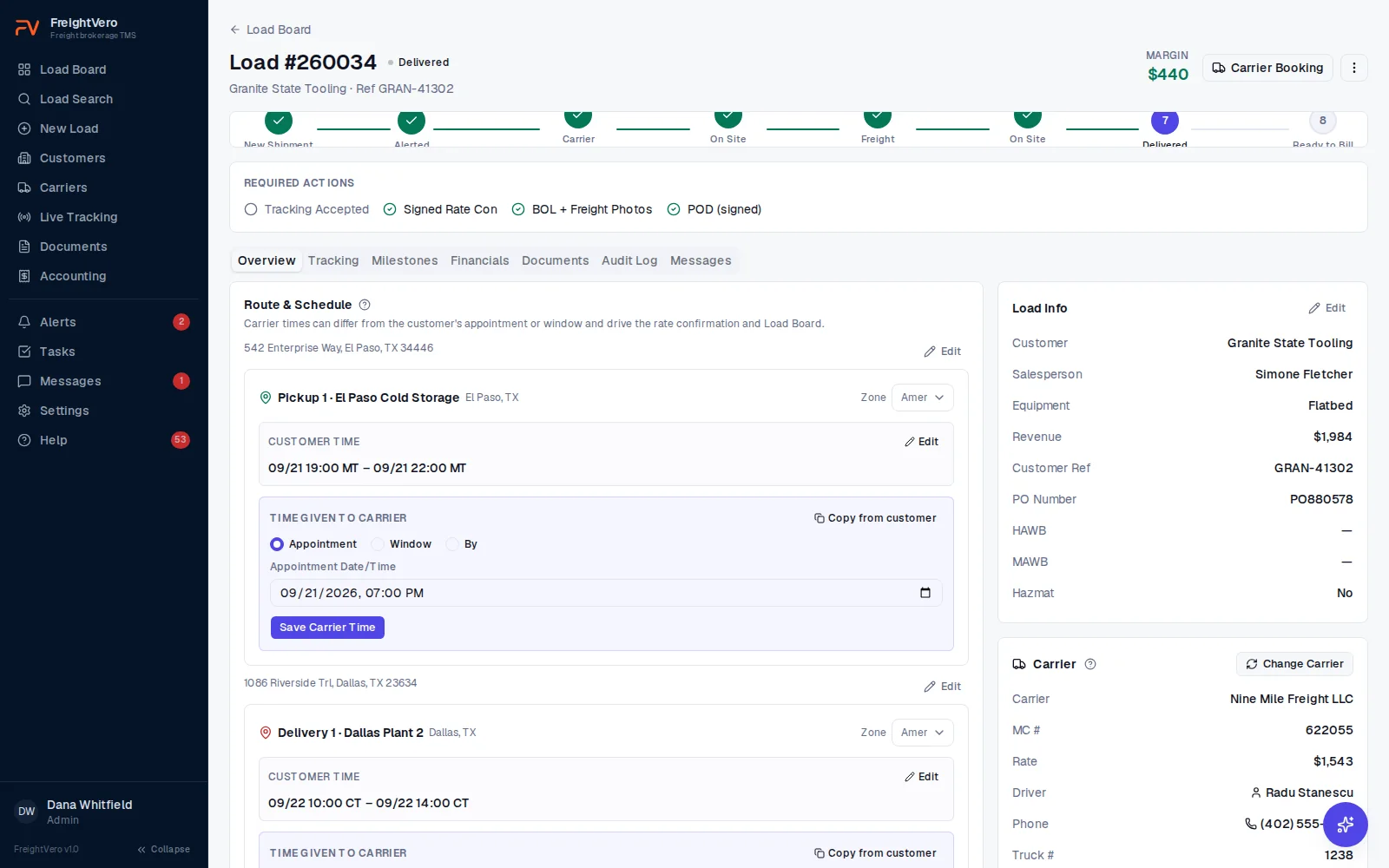
FreightVero generates the rate confirmation as a PDF from the load. It carries your company letterhead and your terms, and it uses the carrier’s times for each stop, which can differ from the customer’s appointment or window.
Letterhead and terms are set per brokerage, so every rate con carries your own name and the terms your carriers agree to. Nobody pastes last year’s terms into a Word template by mistake.
If you want a refresher on what a rate con should cover, see what a rate confirmation is and our rate confirmation checklist.
A new version every time the terms change
Change the terms and FreightVero generates a new version: v1, v2, v3. Every version stays on the load, and none of them can be edited or deleted.
When a rate dispute comes up weeks later, you can open the exact version the carrier signed and see what changed after it.
- Version numbers in the file name, like RateCon-260006-v2
- Signed copies stored as their own document type on the load
- The previous rate con voided when a carrier is swapped off
Dispatch waits for the latest signature
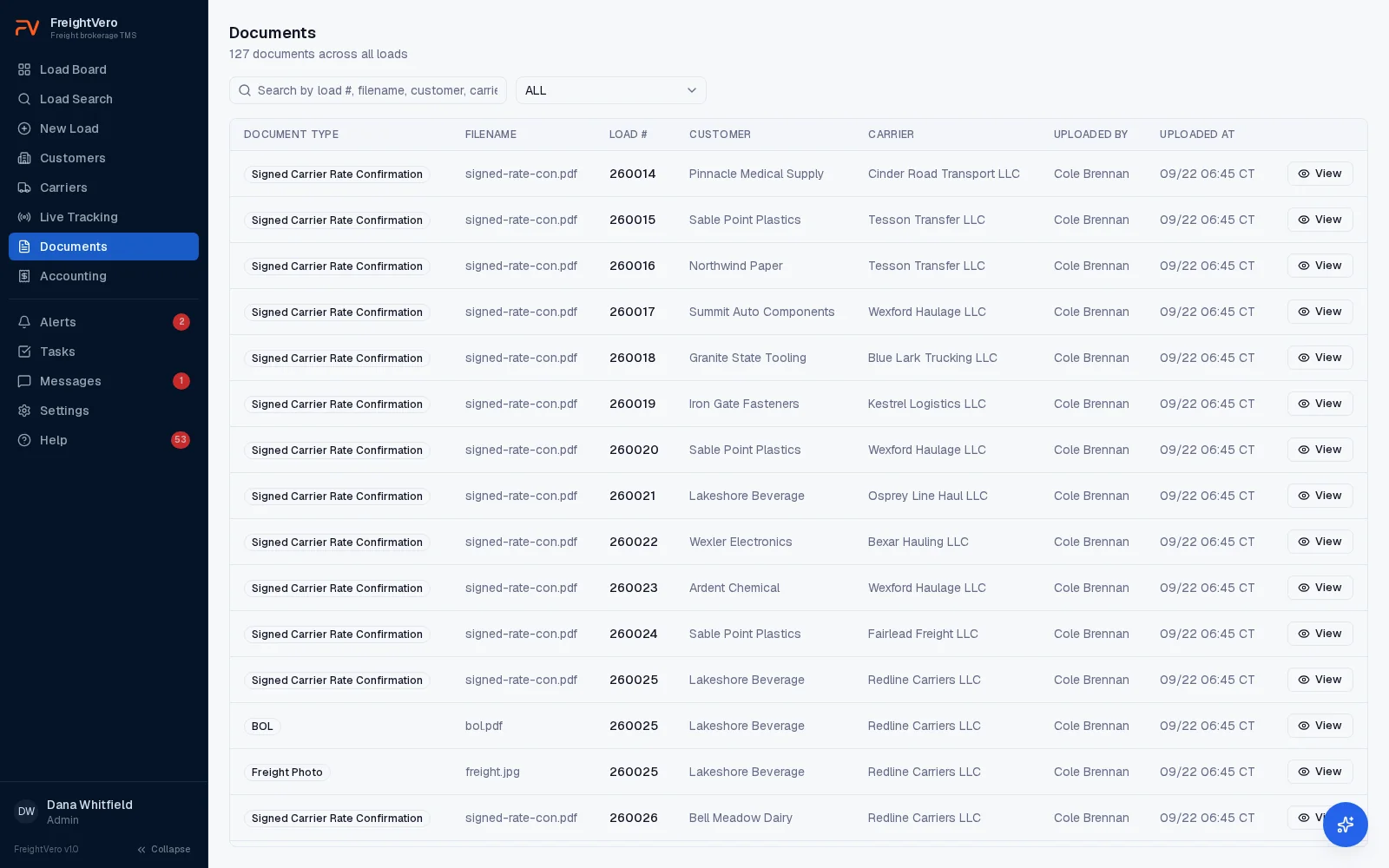
Carrier Dispatched is one of FreightVero’s four database checkpoints. To pass it, the latest rate con version has to be signed. The carrier signs, and your team uploads the signed copy to the load.
Uploading it is the whole step. The file lands on the load as a signed carrier rate confirmation, and that version is marked signed by itself. There is no button to click and nothing for a dispatcher to remember at the end of a long day.
FreightVero records which version was signed and when. That is what you want the first time a carrier argues about a rate. If the signature were read off the dispatch click instead, that link would disappear and you would be back to guessing which version the carrier actually agreed to.
If the rate changes after the carrier signed, the signature on the old version stops counting. The new version needs its own signature before the truck is dispatched.
- The signed version and the time it was signed, both kept on the load
- A warning alert when pickup is within two hours and the latest rate con isn’t signed
- The refusal reason shown word for word if someone tries to dispatch anyway
Example: a rate change after the carrier signs
For example, a dry van load from Chicago to Dallas books at $1,900. The carrier signs version 1, and your team uploads it. That version is marked signed on upload.
Before pickup, the customer adds a second delivery stop, and you agree to $2,150 with the carrier. Editing the customer rate on the load creates version 2. The load’s Required actions checklist now shows the signed rate con as missing, and if pickup is less than two hours out, an alert warns that dispatch will be blocked.
The customer rate is editable on the load, and so are the customer reference, the PO number, the HAWB, the MAWB and the commodity. Once the load is delivered, only Billing or an Admin can move the rate. Once it is billed or cancelled, nothing is editable. A customer reference that already sits on another load for that same customer is caught before it saves.
Every one of those edits lands in the audit log naming the field, the old value and the new value. Money reads as money and IDs resolve to real customer, carrier and user names, so the line reads as a rate going from $1,900.00 to $2,150.00 instead of a row of identifiers. That is what makes an editable rate safe.
The carrier signs version 2, your team uploads it, and dispatch goes through. Version 1 stays on the load, unchanged, next to version 2. If the carrier later invoices $1,900 plus a stop charge, you have both documents side by side.
E-signature and sending aren't live
Carriers sign outside FreightVero today, and your team uploads the signed copy to the load. In-app e-signature is planned, with no release date. Emailing rate cons from FreightVero isn’t built yet either, so your team sends the PDF the way it does now.
Rate con tools by status
Generated from the load Live
A PDF built from the load’s stops, carrier times and agreed rate.
Letterhead and terms Live
Your letterhead and your terms on every rate con, set per brokerage.
Signed on upload Live
Uploading a signed rate con marks that version signed by itself, and records when it happened.
Versioning Live
A new version on every change. Versions can’t be edited or deleted.
Dispatch checkpoint Live
The latest version must be signed before a load reaches Carrier Dispatched.
Audit trail on rate edits Live
Changing the customer rate writes the field, the old value and the new value to the audit log.
Void on carrier swap Live
Swapping carriers voids the previous rate con and keeps the old assignment with its reason.
AI intake of incoming rate cons Live
Reads rate cons and air-freight delivery orders your customers send, drafts a load, and flags revised rates. A person confirms.
E-signature Planned
Carriers signing rate cons inside FreightVero.
Related pages
See a rate change hold a load
Book a demo and we’ll change the rate on a signed load and show you what the checkpoint does next.
Frequently asked questions
Can I use my own terms on the rate con?
Yes. Letterhead and terms are set per brokerage, and every rate con FreightVero generates for your loads uses them. If you update your terms, rate cons generated after the change carry the new text, and earlier versions stay exactly as they were.
What counts as signed for the dispatch checkpoint?
An uploaded signed copy of the latest rate con version. Uploading it marks that version signed and records when, so there is no extra button to press. A signature on an older version doesn't count once a newer version exists, so a rate change always needs a fresh signature.
Can I change the rate after the rate con goes out?
Yes. The customer rate is editable on the load, along with the customer reference, the PO number, the HAWB, the MAWB and the commodity. Once the load is delivered, only Billing or an Admin can change the rate, and once it is billed or cancelled nothing is editable. Every change writes the field, the old value and the new value to the audit log, and a rate change makes a new rate con version that needs its own signature.
What happens to the rate con when a carrier falls off?
Swapping the carrier voids the previous rate con, keeps the old carrier assignment on the load with the reason for the swap, and moves the load back. The new carrier needs its own rate con, signed, before dispatch. See carrier management.
Will FreightVero catch a revised rate con from a customer?
The AI intake engine in development compares an incoming document against existing loads on rate, stop count and delivery city, and flags a revision instead of booking the load twice. It isn't available to users yet. See AI load entry.