Freight billing
Bill the load when the paperwork is actually there
Billing waits on PODs, BOLs and each customer’s rules. FreightVero won’t mark a load Delivered without a POD and signer name, and puts every unbilled load in one queue.
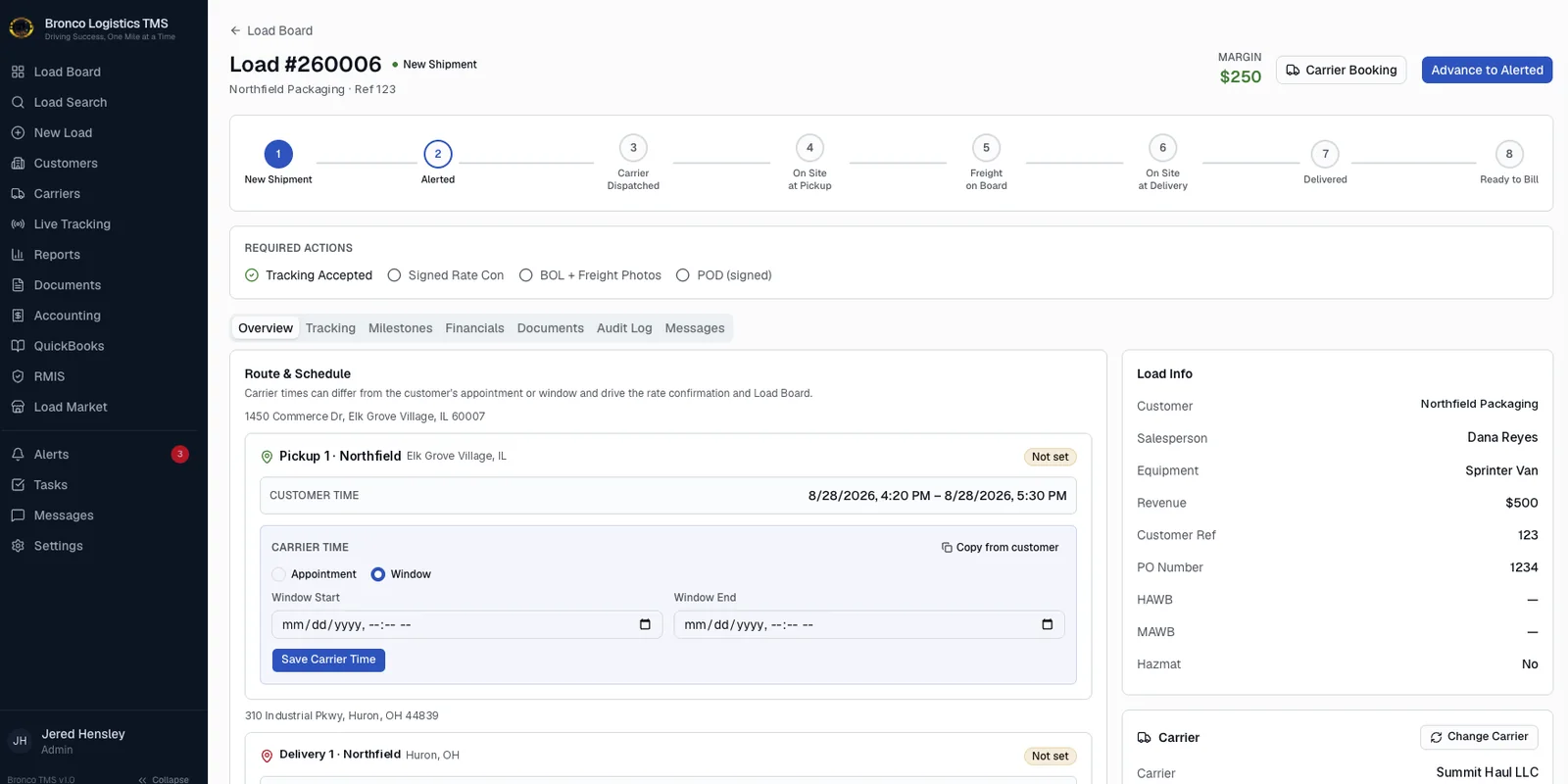
Billing is where every earlier shortcut shows up
Freight billing looks simple from the outside. The load delivered, so send the invoice.
On the billing desk it looks different. The POD is a blurry phone photo with no name on it. One customer wants the BOL and POD together, another wants the rate con attached too. The load was marked delivered three days ago, and nobody uploaded anything.
So billing chases ops, ops chases the carrier, and the invoice goes out late or comes back short. Cash sits on the table while everyone looks for a PDF.
Fix it upstream, at the checkpoints
In FreightVero, a load can’t reach Freight On Board without a BOL and freight photos. It can’t reach Delivered without a POD and the signer’s first and last name. By the time a load lands in the billing queue, the core paperwork is already on it.
Each customer’s billing rules are copied onto the load when it’s booked. If a customer changes what they require next month, loads already booked keep the rules they were booked under.
More on the queue itself on the billing page. If you’re working through extra charges like detention or lumper fees, our guide to accessorial charges covers the common ones.
What the billing desk gets in FreightVero
Live features first. In development and planned items are labeled.
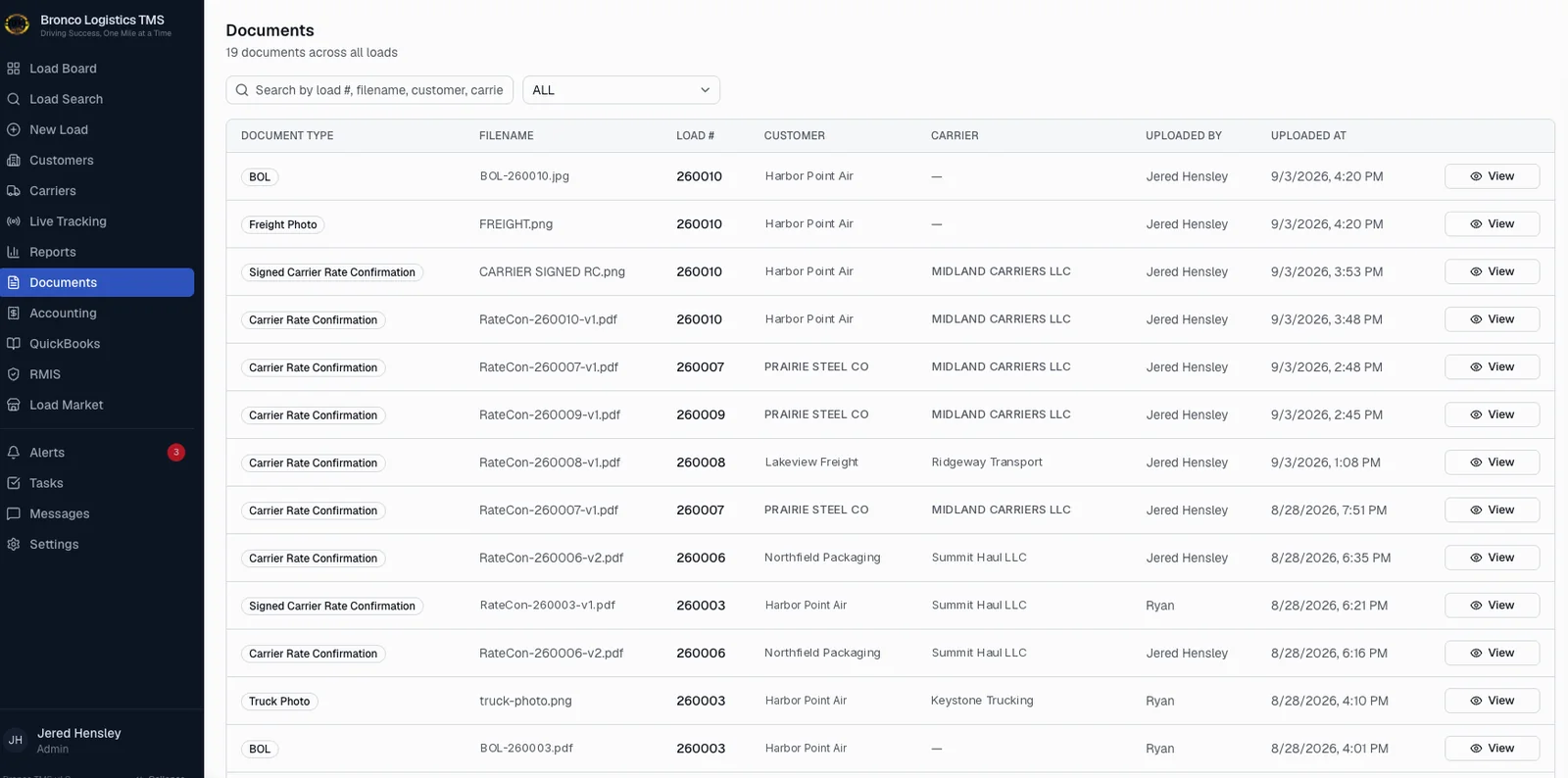
All the paperwork on one load
The documents list shows everything attached to a load: rate con versions, the signed rate con, the BOL, freight photos and the POD. Billing doesn’t need to ask ops where a file went.
Documents sit in private storage and open through expiring links.
- BOL and freight photos required before Freight On Board
- POD and signer name required before Delivered
- Ready to Bill and Billed statuses on the load
See the billing queue on a demo
We’ll show you a load from Delivered to Billed, and what stops it along the way.
Frequently asked questions
Does FreightVero work with QuickBooks Desktop?
No. The QuickBooks work in development is for QuickBooks Online, and today it covers the secure connection only. Invoice and bill sync are not built. If your brokerage runs QuickBooks Desktop, tell us on the demo so we can talk through what that means for you.
Can FreightVero handle carrier pay?
Not today. Carrier pay and payables are not built. FreightVero holds the carrier, the signed rate con version and the POD on each load, the records a payables process usually checks before a carrier gets paid.
Who on the team can work the billing queue?
FreightVero has four roles: Admin, Operations, Sales and Billing. Billing staff get their own role, and every change they make lands in the audit log. Restricting billing screens to the Billing role alone is still being built.